What Is a VPN? Simple Guide to How It Works and Why You Need One
In a world where we do everything from banking to buying weirdly specific cat costumes online, digital privacy has never been more important. You’ve likely…

Protect your online privacy and security
Fast, private, and easy to use, get Hidzo on your device and browse freely with one tap.
Get HidzoVPN In a world where we do everything from banking to buying weirdly specific cat costumes online, digital privacy has never been more important. You’ve likely heard the term tossed around by tech-savvy friends or seen ads for them, but what is a VPN exactly?
It’s basically an online privacy app that keeps your data off prying eyes on the internet. That comes in handy, right? This guide is like your “Greatest Hits” album; we’re covering the essentials of online privacy in one place.
Table of Contents
What Is VPN in Simple Words
Here’s a VPN definition that doesn’t require a computer science degree. A Virtual Private Network is a service that creates a secure, encrypted “tunnel” between your device and the internet. Essentially, it masks your IP address and hides your online identity, making it much harder for third parties to track what you’re doing.
Imagine sending a letter in a clear envelope where everyone, the mailman, the neighbors, and the creepy guy at the sorting office, can read it. Using a VPN is like putting that letter inside a titanium, locked briefcase before sending it off.
How Does a VPN Work
To understand this, imagine you are driving on a highway. Everyone can see your car, your license plate, and where you’re headed. When you turn on a VPN, it’s like driving into a private, underground tunnel that pops you out at a completely different location.
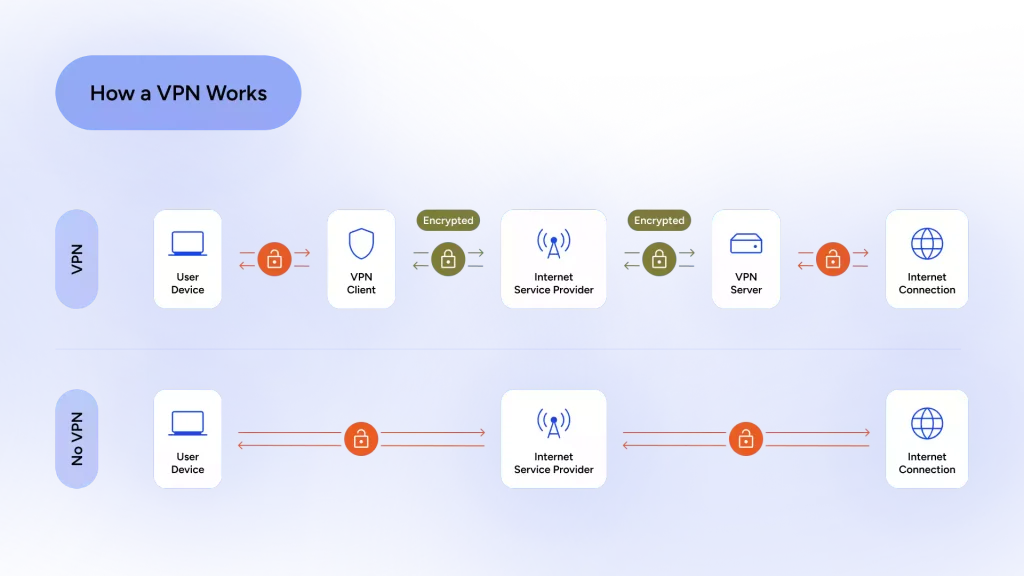
Your data is scrambled (encrypted) before it even leaves your device, travels through the tunnel, and is decrypted only when it reaches the VPN server.
This process hides your true location and replaces it with the location of the server you’ve chosen. So, if you’re sitting on your couch in London but connect to a server in New York, the internet thinks you’re munching on a bagel in Manhattan. It’s digital teleportation, minus the risk of losing a limb in the process.
You can click the link below for more details on how a VPN works:
How Does a VPN Protect Privacy? (Without Getting Technical)
Why Do You Need a VPN
“I have nothing to hide,” you might say, but your supposedly harmless online routine, whether it’s online window shopping or watching cat videos, actually contains valuable information.
Without a VPN, your ISP can see your traffic, and the websites you visit can follow you while you’re browsing, sometimes even when you close them. This isn’t all bad because it keeps you updated with all new cat videos, but it also targets you with ads you might not be able to resist, say a new shiny leash. You do the cost-benefit math.
Beyond privacy, a VPN prevents your Internet Service Provider (ISP) from spying on your browsing habits or “throttling” (slowing down) your connection when you’re streaming. It’s about taking back control of your data and managing your digital footprint, to prevent it from being sold to the highest bidder.
Read more:
Do I Need a VPN? A Practical Guide to When You Should Use One
Key Benefits of Using a VPN
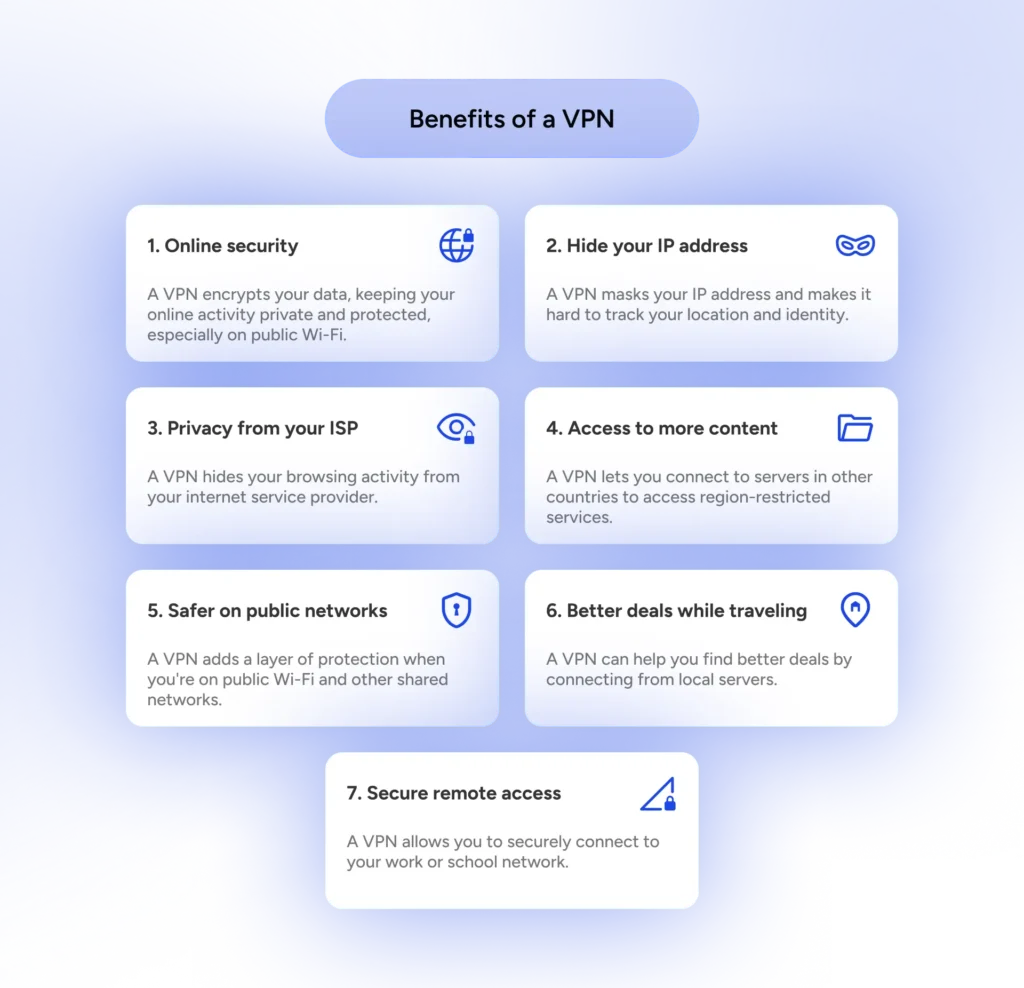
When people ask “what does a VPN do?” for their daily life, the list is surprisingly long. It’s not just about being a digital ghost; it’s about making the internet work better for you.
- Security on Public Wi-Fi: Shop and bank safely on airport or hotel Wi-Fi.
- Access Global Content: Watch shows and access resources that aren’t available in your country.
- Avoid Price Discrimination: Sometimes flights and hotels are cheaper when booked from a different location.
- Global Internet Access: Essential for travelers in countries with restricted internet.
Click to see the complete list and weigh the pros and cons of using a VPN: Benefits of a VPN And the Trade-Offs
Types of VPNs
Not all VPNs are built the same way. Depending on your needs, you might encounter different flavors of this technology.
| Type | Best For… |
|---|---|
| Personal/Consumer VPN | Everyday users wanting privacy and streaming. |
| Corporate/Remote Access | Employees connecting to their office network securely. |
| Site-to-Site VPN | Large companies connecting two different office locations. |
| Mobile VPN | logistics team and sales reps who need quick access to headquarters. |
Click to see the full table and learn more about the use cases of different kinds of VPNs:
Types of VPNs and How to Choose the Right One
Are VPNs Legal
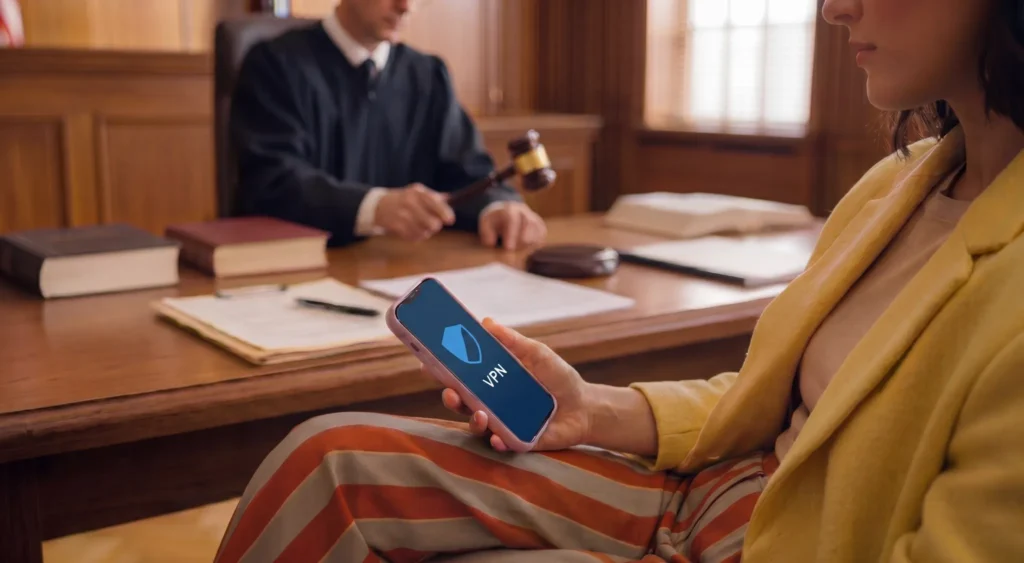
The short answer is: Yes, in the vast majority of the world. Using a VPN to protect your privacy is perfectly legal, just like using a shredder for your mail. However, it’s worth noting that while the tool is legal, using it to commit crimes (like hacking or distributing illegal material) is still very much illegal.
A few countries (like China, Russia, or Iran) have strict regulations or bans on certain VPN providers. If you aren’t living in a country with heavy-duty government censorship, you’re usually in the clear. Just remember: a VPN is a shield, not a warrant for digital mischief.
Is VPN Safe to Use
Generally, yes, but with a big “if.” A VPN is only as safe as the company providing it. When you use a VPN, you are essentially trusting that provider with your data instead of your ISP. This is why “Free VPNs” can be a bit like eating sushi from a gas station; it might be fine, but you’re risking diarrhea on the road.
To stay safe, look for a provider with a No-Logs Policy. This means they don’t keep a record of what you do online. If the government or a hacker comes knocking on their door asking for your data, the provider can honestly say, “We don’t have anything to show you.”
Continue reading: Is Your VPN Still Safe in 2026? The Honest Truth
VPN vs Proxy: What’s the Difference
Many people confuse these two, but they are actually quite different. A proxy is like a mask you wear to a party, but a VPN is a full-body armored suit.
- Proxy: Only works for a specific app (like your browser) and usually doesn’t encrypt your data. It just changes your “address.”
- VPN: Covers your entire device’s internet connection and encrypts everything you do.
If you just want to get around a blocked website, a proxy might work. But if you want actual security and privacy, the VPN is the clear winner every time.
VPN vs Free Proxy: Which One Actually Protects Your Privacy
How to Choose the Best VPN
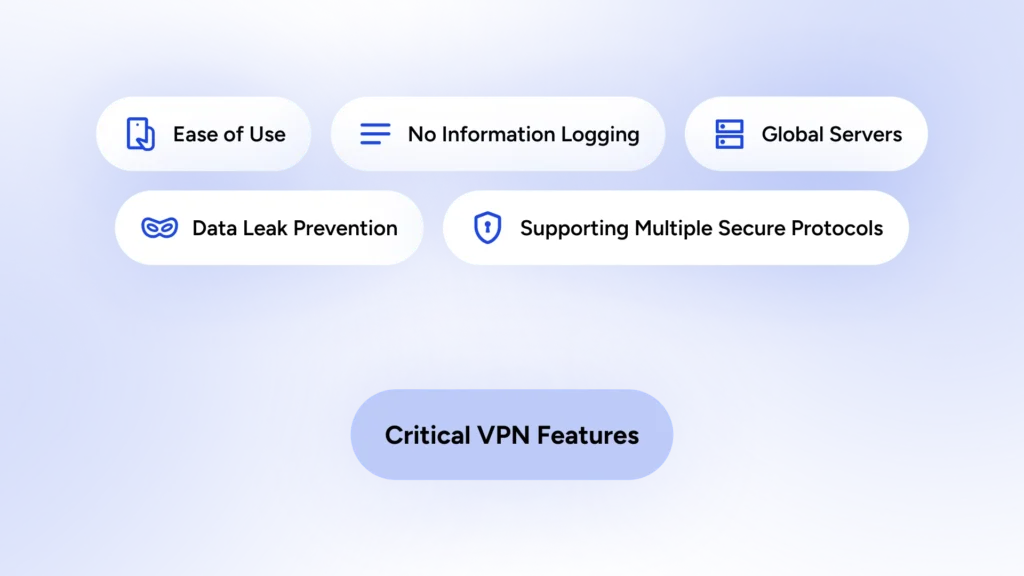
Choosing a VPN can feel like picking a movie on Netflix; there are too many options and most of them look the same. To find the right one, look past the flashy logos and check for three main things: Speed, Security Protocols, and Server Locations.
You also want to make sure they have a user-friendly app. If you need a PhD to turn the thing on, you probably won’t use it. Check for a “Kill Switch” feature, too; this automatically cuts your internet if the VPN drops, so your data never leaks out into the wild.
We’ve discussed the must-have features of a VPN for daily browsing here:
The Best VPN for Daily Browsing (Not Just Power Users)
What is HidzoVPN
HidzoVPN is your privacy pal; It’s intricate and complex on the inside and simple and friendly on the outside. You can make your connection secure and private by tapping Connect, and it will just work without showing off.
HidzoVPN is available in free and paid plans, so everyone can benefit from online security. Yet, free users naturally do not have the privileges of HidzoVPN Premium users. This table summarizes what you get in each plan:
| Feature | Free Version | Premium Version |
|---|---|---|
| Encryption & No-Logs | Yes | Yes |
| Ads | Yes (every 30 min) | No |
| Manual Server Selection | No | Yes |
| Manual Protocol Selection | No | Yes |
| Advanced Features | No | Yes |
| Session Duration | 30-minute limit | Unlimited |
| Simultaneous Devices | 1 | Up to 5 |
| Connection Speed | Standard (variable) | Optimized |
Read more: Is HidzoVPN Premium Worth It? Here’s When It Actually Makes Sense
How to Use HidzoVPN
Getting started with HidzoVPN is easier than putting together IKEA furniture, and there’s a zero percent chance of having a leftover screw that haunts your dreams. Just download HidzoVPN, open the app, and choose whether you want to continue for free or go premium.
With a 7-day free trial, you can see HidzoVPN Premium in action without paying a single penny.
FAQs
It stands for Virtual Private Network.
It is used to encrypt your internet connection, protect your digital privacy, and bypass geographical content restrictions.
Some providers offer basic free ad-supported versions, but most reliable services require a paid subscription for unlimited speed, data, and security.
Yes, it replaces your real IP address with one from the VPN server, making your location and identity anonymous.
It improves privacy but does not guarantee anonymity. Your login habits, device fingerprint, and VPN provider policies still matter.
Yes, sometimes. Encryption and longer routes to the server can slow you down, though quality VPNs optimize for minimal impact.
Look for strong encryption, a clear no‑log policy, fast and reliable servers, jurisdiction/privacy laws, security features (kill switch, leak protection), and good customer reviews.
Free VPNs often have limits and may log or sell data, display ads, or be less secure. Consider reputable paid options with transparent policies.
Yes, many people use VPNs to access geo‑restricted content. Some services detect and block VPN traffic, so results vary.
Most VPNs support multiple platforms (Windows, macOS, iOS, Android, Linux) and often offer browser extensions and router compatibility.
Choose a provider, install the app on your device, sign in, select a server/location, and connect. For routers or enterprise use, follow provider‑specific setup guides.
Article by
-
 Sam Clarke
Sam is a cybersecurity and online privacy writer dedicated to making complex network protection accessible, practical, and engaging.





Share your thoughts
Add a comment