Online Privacy Guide for Managing Your Digital Footprint: 5 Tools + 20 Tips
The real treasure and the peace of mind in our modern lives is keeping some things to ourselves. Every day, with the growth of social…

Protect your online privacy and security
Fast, private, and easy to use, get Hidzo on your device and browse freely with one tap.
Get HidzoVPNTable of Contents
The real treasure and the peace of mind in our modern lives is keeping some things to ourselves. Every day, with the growth of social media and the essentiality of the virtual digital world in our real lives, protecting privacy and erasing digital footprints are getting harder and harder.
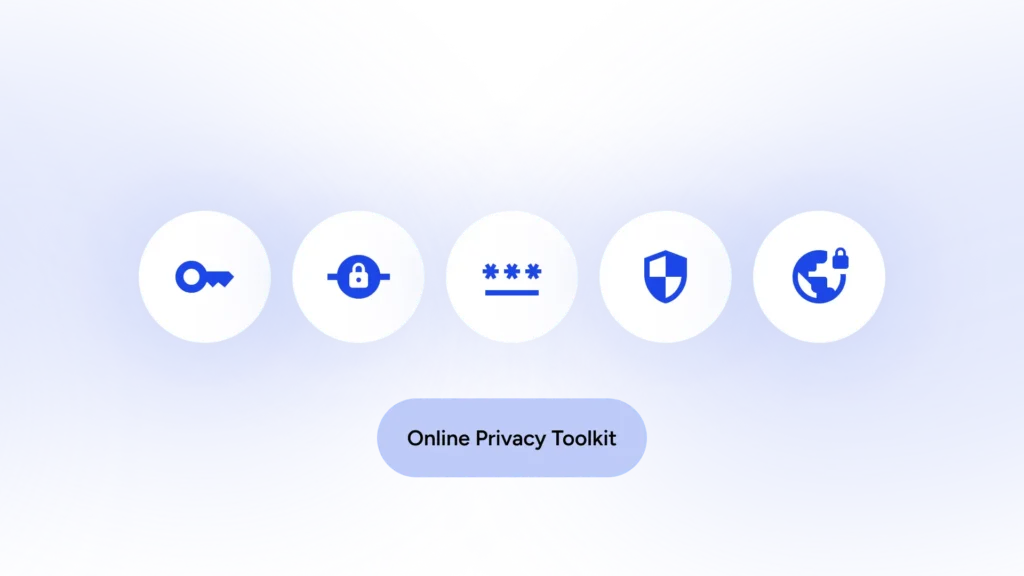
Hopefully, with the tools and guidelines below, you can stay safe in the online world. These privacy protection tools include:
- VPN connection
- Secure browsers
- Privacy protector extensions
- Password managers and 2FA
- Antivirus software
5 Essential Tools for Online Security Protection
Using the internet without the necessary equipment is next to voluntarily exposing your personal information and digital footprints to others. With the following privacy toolkit, you can protect your data against online threats.
1. Virtual Private Networks (VPNs)
A VPN is an all-in-one, cost-effective solution for online privacy protection. A VPN heavily encrypts all the incoming and outgoing data to and from your device. This encryption not only makes your traffic secure, but it also prevents hackers or your ISP from snooping on you or using your browsing history for commercial purposes.
HidzoVPN is one of the safest and fastest VPN service providers. What makes HidzoVPN an invaluable asset for online privacy protection is its no-log orientation. This means that HidzoVPN doesn’t record a single bit of your online activities, and while you’re connected to the internet using HidzoVPN, no one can track your digital footprints.
You can download HidzoVPN and go premium for just $2.99/mo. Unlike other VPN providers, you don’t need a long-term subscription to benefit from discounts.
2. Safe Browsers
We’re familiar with reputable browsers like Safari, Chrome, Firefox, and Edge because they’re the default browsers in various operating systems. These browsers are frequently updated, and they provide standard privacy protection. But if you’re using a public or a company laptop or PC, you should browse the internet in incognito mode.
Of course, there are other browsers, like Brave or DuckDuckGo, for privacy-conscious users that provide features like tracker blocking and ad blocking. Visit “Lose the Trackers” to learn more about these browsers.
3. Useful Browser Extensions
If you don’t like to switch browsers, you can equip your browser with extensions that prevent advertisers from tracking your activities and reduce ad encounters while surfing the web. Click for a list of free ad blocker extensions, you can easily install on your browser.
4. Password Managers and 2FA
Browsers are equipped with password managers that generate a strong and unique password whenever you want to create a new account. These password managers also notify you if any of your passwords are compromised. To maximize security, you should also enable two-factor authentication for sensitive accounts like your email and bank account to minimize security threats. You can also use third-party password managers for more features.
5. Trusted Antivirus Programs
Linux, iOS, Android, and Windows all have built-in security systems that shield your device against suspicious files or malware you might accidentally download. However, it’s always good to have a backup. You can benefit from the added security and protection of third-party antivirus programs to keep your data and privacy safe.
Among operating systems, Windows is the “prime target for computer viruses,” and the multi-user feature is what makes this OS vulnerable to viruses. Therefore, if you’re a Windows user, you could use help from reputable antivirus software for Windows that enhances your privacy and security.
Important Note:
These security and privacy protection tools receive frequent updates. It’s vital that you enable automatic updates to get the most out of these tools.
Practical Tips for Online Privacy Protection
Online privacy protection isn’t a one-size-fits-all thing. Based on what you do online, you should adopt safety habits. Internet users fall into 6 main categories, and often there’s a lot of overlap between users in different categories. When you put on any of these hats, you should take appropriate safety measures.
1. Information Seekers
With the recent prevalence of Artificial Intelligence among internet users, information seekers have moved on from search engines to AI apps like Grok, Gemini, or ChatGPT. These apps are typically safe, but their knowledge is based on what’s already on the internet.
As a true information seeker, you would want to check the authenticity of AI answers by reviewing their sources. This means visiting different web pages, which is what we did before AI. Now, when it comes to visiting websites for news, research, educational content, or casual browsing, you should:
- Regularly clear browsing history and cookies to prevent the accumulation of personal data.
- Enable the Do-Not-Track feature on your browser or install a track blocker extension on your browser.
2. Social Networkers
This is more like an umbrella term rather than a category since social media has found its way to every phone and computer. Social networkers are those who use the internet to share updates and expand their connections. As a social networker, you should:
- Adjust privacy settings to limit personal content visibility. For example, changing your account type to Personal or applying Close Friends settings.
- Avoid sharing sensitive details like location or financial status that could lead to identity theft.
- Be careful about what permissions you give to your social networking apps.
- Use trusted, secure, open-source messaging apps like Telegram, which feature many privacy protection features like end-to-end encryption, disappearing messages, user information visibility, etc.
3. Online Shoppers
They’re the ones who prefer to save themselves from the commute to shopping malls, price negotiation, and possibly overcharging. When shopping online, you should make sure your credit card details and payment information aren’t leaked. Online shoppers need to:
- Check the online shop’s trust seals.
- Make sure the website uses HTTPS.
- Use virtual credit cards that mask actual card details.
4. Entertainment Consumers
When you use the internet to access entertaining content, like podcasts, videos, games, etc., you’re an entertainment consumer. You should:
- Use a VPN to obscure activities for potential interceptors.
- Use content from legitimate sources to avoid malware or viruses embedded in downloads.
5. Content Creators
When you post something on Instagram, for instance, you are actually a content creator, but the term doesn’t fully apply to you if you don’t have a financial purpose or aren’t looking to find new followers. When using the internet for content creation:
- Use watermarks to protect your intellectual property
- Avoid references to location and anonymize personal details by using a pseudonym.
- Secure content creation tools with strong, unique passwords.
- While engaging with the audience (e.g., answering comments or DMs), moderate comments, and report abusive behavior.
6. Professional Users
If you’re using the internet for work, you’re a professional internet user. When it comes to work and finances, privacy leaks could result in loss of money. To keep the internet safe and private for work:
- Enable 2FA.
- Separate personal and work-related affairs; use a different email address, profile, and browser for work.
- Keep a physical backup of sensitive login information in a secure place, just in case.
- Comply with organizational policies on data handling.
- Make sure the firewall is enabled on your laptop and router (and disable public sharing on Windows).
If you work remotely from home, the guidelines in “Securely Access Company Files” can help you improve the safety of your files.
It’s very possible to find yourself in all of the above categories of internet users, but the privacy protection tips provided for each group can eradicate the chances of online privacy breaches.
Also Read: Is Hotel Wi-Fi Safe for the Guests?
Setting a Privacy-conscious Mindset
The internet is a wild atmosphere, and you should be cynical about what you see online, especially now that the AI has gained the maturity to create lifelike content. Even trusted sources are not completely infallible. Therefore, you should be really careful about what personal information you share online.
As a rule of thumb, you should adopt a minimalist approach to data sharing and disclose personal data only when it’s absolutely necessary.
How Your Online Privacy Can Go Downhill
Breaching private boundaries has two main reasons. The first one is the user oversharing details online, and the second one is the attackers or hackers who target unprotected users and collect their personal information.
Tracking technologies like cookies and pixels can build a user profile for you without your knowing or consent. Social media profiling is one of the ways you might lose your online privacy through impersonation scams or social engineering attacks.
Finally, public networks like airport or hotel Wi-Fi, or any other network that’s not password-protected, are a hacker’s playground to snoop on your online activities. Therefore, it’s better to avoid public networks, unless you have a VPN app on your device.
FAQs
Online privacy is knowing that what you do online stays with you, and no one can access that information without your permission.
Digital footprint, also known as digital shadow, refers to the record of your online activities, including the websites you visit, the emails you send, and the information you submit online.
You should only work with trusted websites and avoid public networks unless you use a VPN. Also, you shouldn’t share personal information on social media or personal blogs.
Yes, using a VPN masks your real IP with that of the VPN server in the selected location. Also, through traffic encryption, a VPN obscures your online activities, making you an anonymous user.
Article by
-
 Sam Clarke
Sam is a cybersecurity and online privacy writer dedicated to making complex network protection accessible, practical, and engaging.





Share your thoughts
Add a comment