Benefits of a VPN And the Trade-Offs
A VPN, at its core, is a privacy and security asset. Without a VPN, your online traffic is visible to those with access (your ISP)…

Protect your online privacy and security
Fast, private, and easy to use, get Hidzo on your device and browse freely with one tap.
Get HidzoVPN A VPN, at its core, is a privacy and security asset. Without a VPN, your online traffic is visible to those with access (your ISP) and those nasty IT experts who couldn’t find love (hackers). By wrapping your data in an encrypted “tunnel,” a VPN transforms your data from an open book to a sealed chest.
Whether you’re looking to shield your identity, bypass frustrating regional blocks, or stop your ISP from throttling your speeds, this tool is the ultimate “undo” button for online vulnerabilities.
Table of Contents
VPN Benefits: Why You Need a VPN
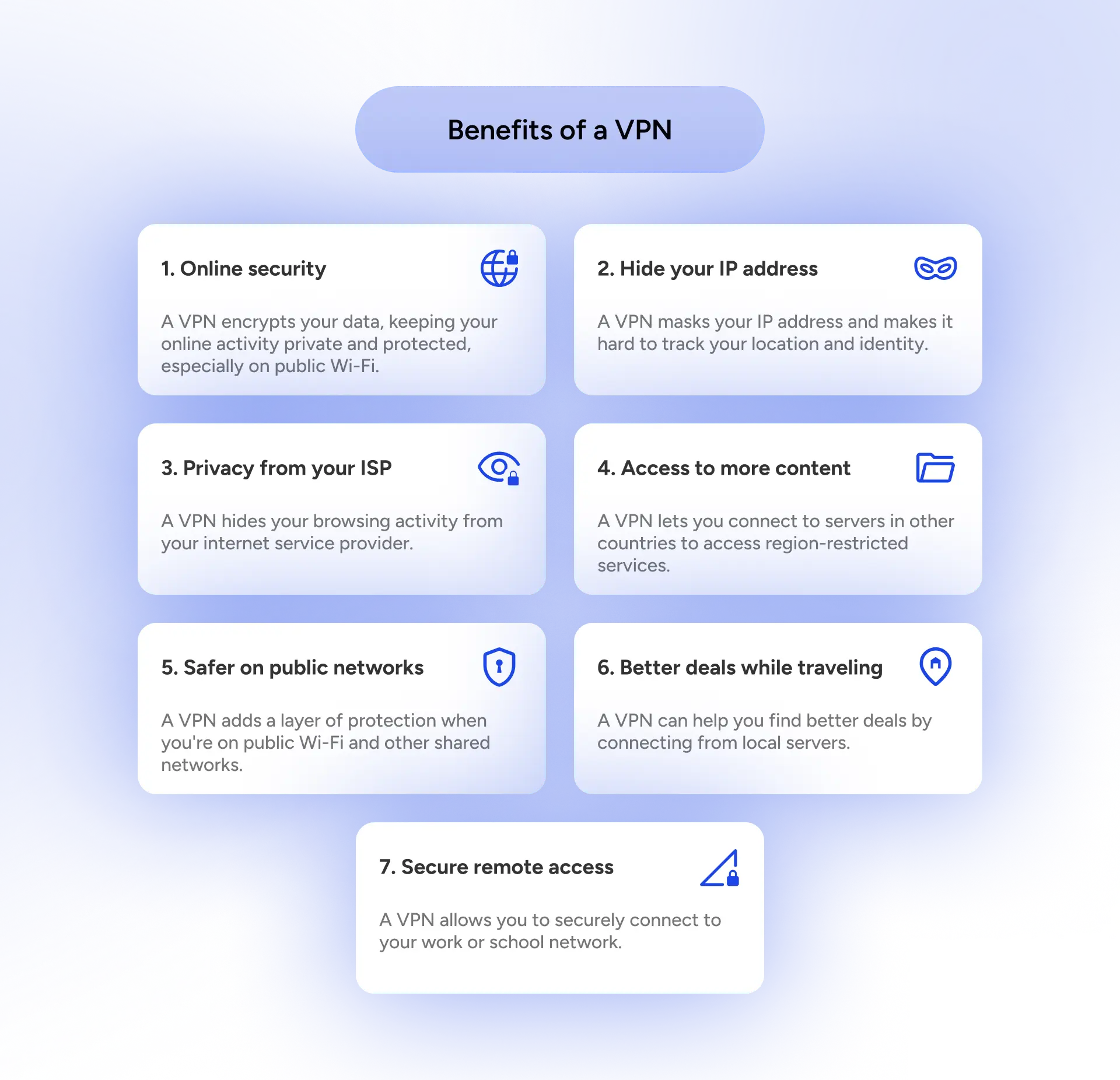
A VPN isn’t just a “shield,” it’s a sophisticated rerouting system for your digital life. To understand why it’s essential, you have to look under the hood at how it actually manipulates your data flow to work in your favor.
On a related note:
How Does a VPN Protect Privacy? (Without Getting Technical)
1. Online Security for Your Data
When you toggle that “Connect” button, the VPN client on your device establishes an encrypted “tunnel” using a VPN protocol. It takes your outgoing data, including passwords, emails, and credit card numbers, and wraps them in an encrypted tunnel.
Even if someone intercepts your connection, they can’t make sense of it. This shields you from eavesdroppers, hackers on public Wi-Fi, and other threats.
2. Masking Your IP Address
Normally, your device connects directly to a website, and it allows the website to see your IP address, which is like a web version of your ID card. A VPN acts as a middleman by directing your traffic to the VPN server first, which then communicates with the website on your behalf.
The website now sees the VPN server’s IP address, which is normally in a faraway location from your home. This prevents websites from logging your physical location and building a creepy dossier on your daily habits.
3. Ghosting Your ISP
This is one of the VPN benefits at home. Your ISP is the gateway to the internet, so it sees every DNS query (the names of the sites you visit) you make. Because a VPN encrypts your traffic at the source, your ISP can no longer see the contents or the destination of your data packets.
Your ISP might still see that you are connected to a VPN, but beyond that, it’s a total blackout for them. They can’t see if you’re researching a medical condition or binge-watching “trash TV,” meaning they can’t sell that specific data to advertisers.
🔴Privacy Leak Alert
Every tap or click, every website or social network you visit, is recorded in what we call logs in the computer world. These logs contain valuable information for advertisers because they can target potential buyers or clients with precision.
Your ISP or that free VPN app you use happily on your device has access to these logs and can (and will) sell them to marketing and advertising networks to make a fortune. So you need to subscribe to a reliable no-logs VPN that erases your browsing data the moment you disconnect. Click the link below to prevent privacy leaks:
Online Privacy Guide for Managing Your Digital Footprint: 5 Tools + 20 Tips
4. Access to More Content
Are you familiar with the “This content is not available in your region” error message? painful and a bit degrading, isn’t it? That’s another problem a VPN solves.
A VPN solves this by letting you connect to a server in a location where the content is available. Since the provider sees the VPN’s location instead of yours, you can bypass those regional blocks effortlessly. That’s an essential instance of VPN benefits.
5. Safety on Public Networks
How it works: Public Wi-Fi is often unencrypted, meaning anyone on the same network can use packet sniffing software to see what you’re doing. A VPN creates a private, encrypted layer inside that public network.
It’s like having a private conversation in a lead-lined room inside a crowded stadium. Even if a hacker is monitoring the coffee shop’s Wi-Fi, your VPN-protected data remains invisible and untouchable. It’s the ultimate safety net for anyone working from a “third space.”
6. Better Deals While Traveling
Many e-commerce and travel sites use “cookies” and IP data to track your interest and your perceived wealth (based on your location). By clearing your cookies and switching your VPN server to a lower-income country, you can change the “localized” version of the site you see.
Try connecting to a VPN server in your travel destination and use Google Translate to search for hotel bookings in the local language. Are you getting the same deals as when you searched without a VPN? You’ll see the discrimination.
7. Secure Remote Access
How it works: A VPN can create a Point-to-Point (P2P) tunnel that extends a private network across a public one (the internet). It authenticates your device as if it were physically plugged into a specific remote server.
This allows you to access sensitive company folders or internal tools that are hidden from the general public. It’s a “secure handshake” that proves you are who you say you are, allowing you to work from a balcony in Bali with the same security as a high-rise office in Manhattan.
The Other Side of the Coin: VPN Drawbacks
If a VPN were 100% perfect with zero downsides, it wouldn’t be a tool; it would be magic. While the benefits are massive, using a VPN does come with a few setbacks. Here is the unvarnished truth about what happens when you tap Connect.
1. The Speed Tax
Because your data has to travel to a VPN server before it hits the open internet, and because it takes a split second to encrypt and decrypt that data, you’re likely to see a dip in your connection speed. If you’re on a fiber connection, you might not notice, but if you’re on a shaky connection, that extra split second can be disturbing.
2. The “Are You a Robot?” Cycle
Since hundreds of people might be using the same VPN server IP address, some websites (looking at you, Google and banking apps) get suspicious. You might find yourself solving an endless loop of CAPTCHAs, proving for the tenth time that you know what a traffic light looks like. It’s a minor annoyance, but it can definitely test your patience.
3. VPN Subscription Costs
Quality isn’t free. While you’ll find “Free VPNs” littered across app stores, they usually pay their bills by selling your data, which defeats the entire purpose of having a VPN. A reliable, high-speed service requires a monthly or yearly subscription fee.
On a related note:
How Do Free VPNs Make Money? The Hidden Price You Pay!
4. Compatibility Issues
Most VPNs have great apps for Windows, Mac, iOS, and Android. However, things get “techy” when you try to protect your entire house. Getting a VPN to work on a smart TV, a gaming console, or an older router can feel like trying to teach a cat to bark. It’s possible, but it often requires manual configuration that might make you want to throw your router out the window (even with the help of AI).
5. Increased Device Load
Encryption is a heavy-duty process. Your device’s processor (CPU) has to work overtime to scramble and unscramble all that data in real-time. On a modern laptop, you won’t notice it. On an older smartphone or a budget tablet, you might notice the device running a bit warmer or the battery draining slightly faster than usual.
HidzoVPN’s lightweight app uses smart protocols that smoothly and securely transfer your data without taking up much of your CPU and consuming your battery.
6. Legal Concerns
VPNs are not a “Get Out of Jail Free” card. While they are legal in most of the world, some countries (like China, Russia, or Iran) have strict regulations or outright bans on unapproved VPNs. Additionally, using a VPN to hide illegal activity is still… well, illegal. It’s crucial to know the local laws of the country you’re standing in.
VPN Advantages and Disadvantages at a Glance
To help you decide if the trade-off is worth it, here’s a quick breakdown of the battle between convenience and security:
| Feature | The Pro (Why it’s useful) | The Con (The trade-off) |
| Security | Military-grade encryption for all data. | Slight hit to connection speeds. |
| Anonymity | Hides your IP and physical location. | Frequent “I am not a robot” checks. |
| Access | Unlocks global content and better deals. | Some sites actively block VPN IPs. |
| Privacy | Prevents ISP data tracking and selling. | Monthly subscription cost for quality. |
| Usability | One-click protection on most devices. | Hard to set up on “Smart” home devices. |
| Power | Total digital sovereignty. | Slightly higher battery consumption and CPU usage. |
How to Choose a Reliable VPN
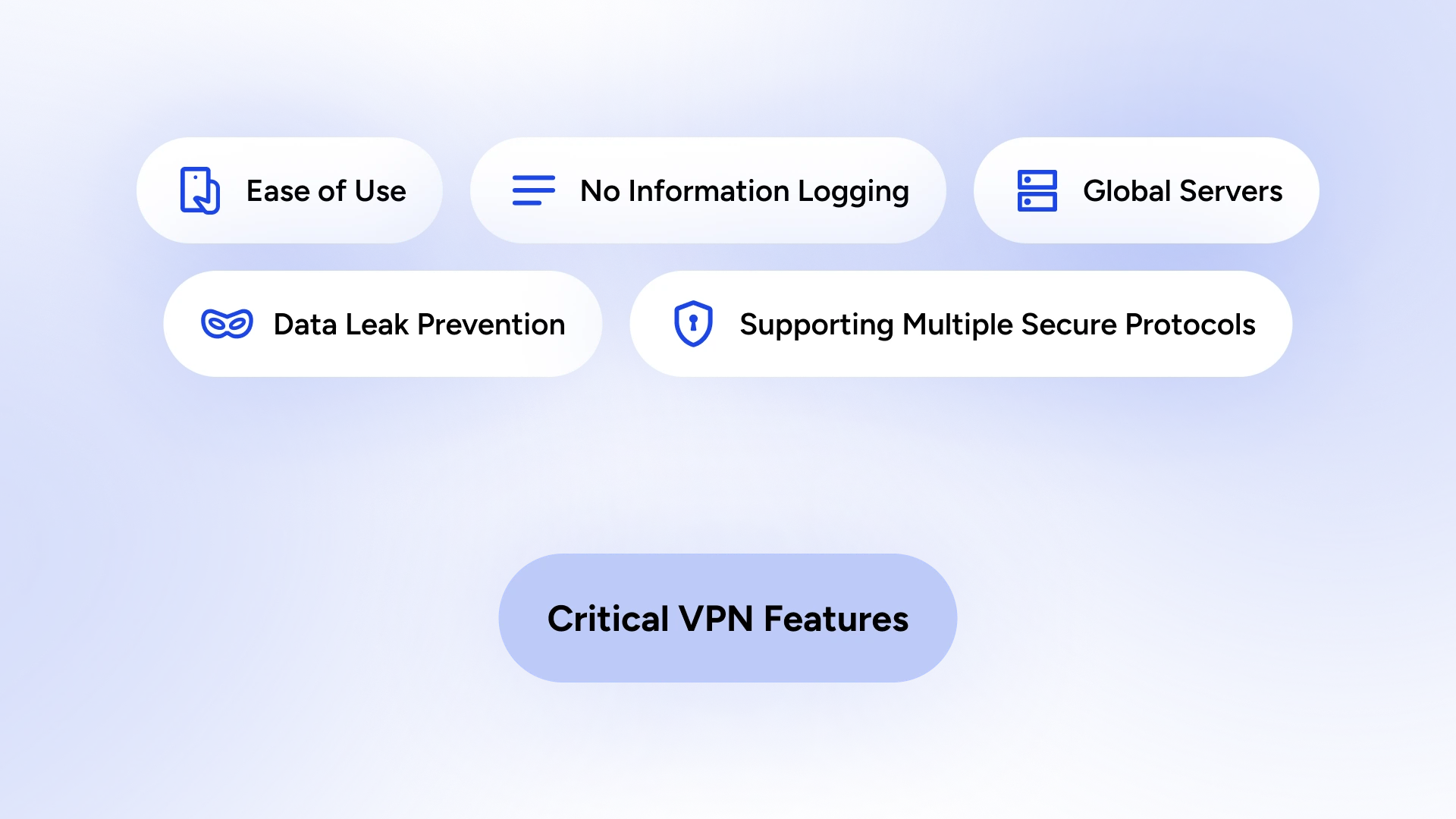
With hundreds of options flooding the app stores, picking a VPN can feel like trying to find a needle in a haystack. To ensure you’re using a reliable VPN, look for these non-negotiable characteristics:
- Verified No-Logs Policy: A reliable VPN should be a “black hole” for data. This means they don’t track, store, or sell your browsing history, IP address, or connection timestamps. HidzoVPN is one of these VPN providers with a strict no-logs policy.
- Ease of Use: You shouldn’t need to be a network engineer to stay safe. A top-tier VPN offers a “one-click” experience with an intuitive interface that works seamlessly across your laptop, phone, and even your tablet.
- Global Server Network: More servers mean fewer crowds and better speeds. A robust provider offers a massive fleet of servers across dozens of countries, allowing you to “teleport” anywhere in the world to bypass censorship or snag better travel deals.
- Data Leak Prevention: Features like a Kill Switch and DNS Leak Protection are your safety nets. If your VPN connection drops for even a microsecond, a Kill Switch instantly cuts your internet to prevent your real data from “leaking” onto the open web.
- Support for Multiple Protocols: Different tasks require different tools. A great VPN lets you switch between protocols like WireGuard (for blazing-fast gaming and streaming) or OpenVPN (for maximum security and bypassing tough firewalls). Flexible protocols mean the VPN adapts to your life, not the other way around.
Meet Your New Best Friend: HidzoVPN
If the world of VPNs feels like a choice between an overpriced corporate suit and a sketchy “free” app that sells your soul to advertisers, meet HidzoVPN.
It’s a light, battery-friendly bodyguard that understands you just want the internet to work without the “tech-headache.” By using smart protocols, HidzoVPN tackles the “Speed Tax” head-on, ensuring your connection stays snappy while your data remains wrapped in that military-grade armor we talked about.
What truly sets Hidzo apart is how it handles the “Reality Check” drawbacks. Concerned about costs? It offers a generous freemium model that doesn’t sacrifice your privacy, and HidzoVPN Premium comes with a 7-day free trail let’s your test the waters before reaching for your credit card.
Worried about complexity? It’s a one-tap solution designed for real people, not just IT pros. With a strict no-logs policy and a built-in Kill Switch, it mitigates the biggest risks of the digital world while staying invisible in the background.

Who Is a VPN for?
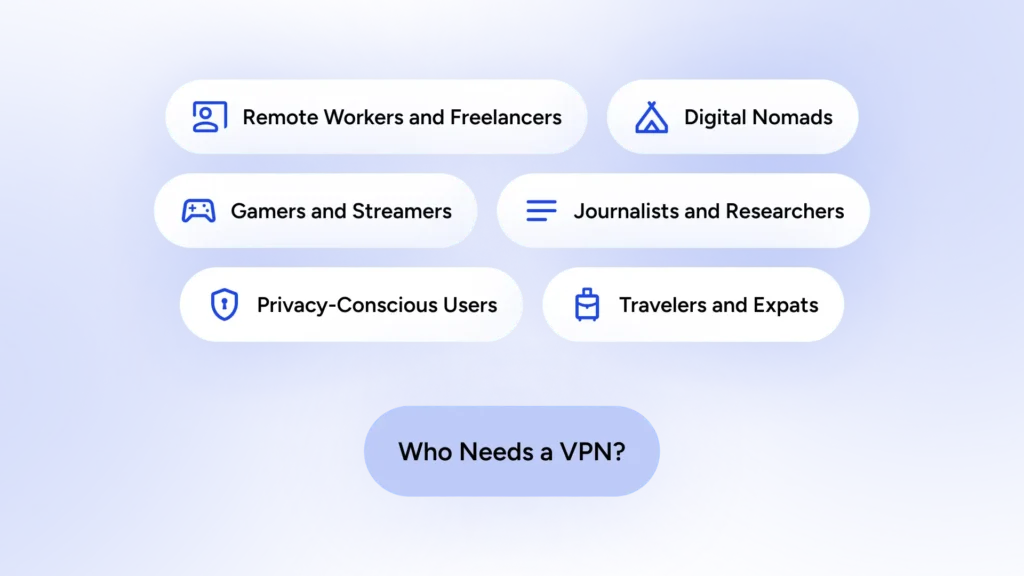
The short answer is anyone concerned about their online privacy. That aside, VPNs are viable for professionals and even those who use the internet for fun. Let’s see who these people are and why a VPN turns their nightmares into sweet dreams.
The Remote Worker & Freelancer
- The Nightmare: You’re in a cozy local cafe, finalizing a high-stakes contract for a new client. Suddenly, you realize the cafe’s Wi-Fi is unsecured, and you’re sending sensitive IP and bank details over a network that anyone with a $20 YouTube-taught hacking trick could intercept.
- The VPN Remedy: You toggle your VPN, and instantly, that “glass pipe” of a connection becomes a lead-shielded vault. Your client’s data is encrypted before it even leaves your laptop, ensuring your professional reputation (and your paycheck) stays intact.
The Journalist & Researcher
- The Nightmare: You’re investigating a sensitive story involving a powerful corporation or a restrictive government. Every search query you make and every source you contact via email is being logged by an ISP that is legally required to hand over data to the very people you’re investigating.
- The VPN Remedy: By masking your IP and encrypting your traffic, the VPN acts as a digital “safe house.” Your ISP sees that you’re online, but they have no idea who you’re talking to or what you’re uncovering, providing the anonymity essential for truth-seeking in high-risk environments.
The Gamer & Streamer
- The Nightmare: You’re in the final round of a competitive tournament when suddenly, your ping spikes to 500ms. Your ISP has detected high bandwidth usage and decided to “throttle” your connection to save their network capacity, effectively handing the victory to your opponent.
- The VPN Remedy: Because your VPN encrypts your traffic, your ISP can’t tell if you’re gaming, streaming 4K video, or just reading news. Since they can’t “see” the gaming packets, they can’t trigger the automatic throttling. You get the consistent speeds you pay for, and your K/D ratio stays safe.
The Traveler & Expat
- The Nightmare: You’ve moved abroad for a year, but when you try to log into your home country’s banking app to pay a bill, the site blocks you entirely because of your “suspicious” foreign IP address. Even worse, your favorite comfort show back home is “not available in your region.”
- The VPN Remedy: You select a server located in your home city. To the bank and the streaming service, it looks like you never left. You bypass the geo-blocks, manage your finances without being flagged for fraud, and cure your homesickness with a bit of familiar TV.
The Privacy-Conscious User
- The Nightmare: You search for “best orthopedic pillows” once. For the next three weeks, every website you visit, every social media feed you scroll, and every app you open is plastered with pillow advertisements. You feel like you’re being followed by a very specific, very fluffy ghost.
- The VPN Remedy: A VPN breaks the link between your identity and your browsing habits. By hiding your true IP and preventing your ISP from selling your data to ad networks, you effectively “reset” your digital footprint. You’re no longer a profile to be sold; you’re just another anonymous user.
The Digital Nomad
- The Nightmare: Your “office” is a different Airbnb every week. You arrive in a new country only to find that the local government has blocked the project management tools (like Slack or Trello) that your team uses to communicate. You’re officially “off the grid,” but not in a cool, relaxing way.
- The VPN Remedy: With a VPN, the local “Great Firewall” doesn’t apply to you. You tunnel through to a server in a neutral country, gaining instant access to all your essential work tools. Your “anywhere” office remains functional, no matter what the local censorship laws say.
Conclusion
In the end, choosing to use a VPN is about deciding who owns your digital life: you, or a collection of ISPs, advertisers, and hackers. While the trade-offs can be a minor nuisance, they are a small price to pay for the ability to browse with a “cloak of invisibility.”
However, remember that a VPN is a powerful tool, not a magic wand. It won’t protect you from a weak password or a suspicious link in a “too-good-to-be-true” email. Use it to reclaim your privacy, but stay mindful of the legal landscape and the limitations of the tech.
When used correctly, a reliable service like HidzoVPN ensures the internet remains what it was always meant to be: a place of freedom, connection, and discovery.
FAQs
It hides your IP and encrypts your traffic, making it harder for trackers and onlookers to profile you.
It creates an encrypted tunnel, protecting your data from hackers on open networks.
Yes, by routing through servers in different locations, you can appear to be in another country.
Your ISP can’t see your exact destinations or contents; only that you’re connected to a VPN server.
Yes, a VPN securely connects employees to the company network, protecting sensitive data.
It obscures your IP and encrypts traffic, but apps may still collect data via other means.
It helps protect privacy on the move and access your home services or local content abroad.
No, VPNs protect data in transit; you still need endpoint security for malware protection.
Generally, yes. Paid VPNs tend to offer stronger encryption, no data caps, and clearer privacy policies.
It reduces tracking, secures connections on public networks, and unlocks region‑locked services.
A VPN encrypts your internet connection, protecting your data on public Wi-Fi and hiding your online activity from trackers and ISPs.
A VPN lets you access geo-restricted content and can prevent ISP throttling for smoother streaming.
A VPN protects against DDoS attacks, improves privacy, and can reduce lag caused by ISP throttling.
Article by
-
 Sam Clarke
Sam is a cybersecurity and online privacy writer dedicated to making complex network protection accessible, practical, and engaging.





Share your thoughts
Add a comment