VPN Security Risks: 10 Points You Should Know Before Using a VPN
There are two kinds of VPNs: bad VPNs and safer VPNs, and using a bad VPN can sometimes be worse than using no VPN at…
Protect your online privacy and security
Fast, private, and easy to use, get Hidzo on your device and browse freely with one tap.
Get HidzoVPN There are two kinds of VPNs: bad VPNs and safer VPNs, and using a bad VPN can sometimes be worse than using no VPN at all.
Sounds a little backward, right? After all, a VPN is supposed to protect your internet connection, not add a new set of security problems. But not every VPN handles your data, security, and privacy the same way. Sometimes a VPN’s design, maintenance, and company policies turn a tool meant to protect you into another risk.
So how do you tell a VPN that protects you from one that puts your privacy at risk? Let’s walk through the most common risks of using a VPN, why they matter, and what you can do to reduce them.
Table of Contents
What Are VPN Security Risks?
Every time you go online, data travels back and forth between your device and its destination. That might be a website, an app, or another online service. Along the way, it crosses several networks before it arrives.
A VPN adds a layer of protection to part of that journey by creating a VPN encrypted tunnel between your device and the VPN server. This helps prevent others on that part of the connection from easily viewing the data traveling through it.
VPN security risks are the weaknesses, vulnerabilities, or practices that can interfere with that protection. They can come from the VPN technology itself, from how the service is configured or maintained, or from how the company behind it handles your connection and data.
In other words, VPN security depends on more than having a VPN. How that VPN protects you matters just as much.
10 Common VPN Security Risks
Not every VPN risk looks the same. Some come from the technology, some from how you set the VPN up, and some from the company running it. Here are the ten worth knowing, each with a simple way to reduce it.
1. Weak or Outdated VPN Protocols and Encryption
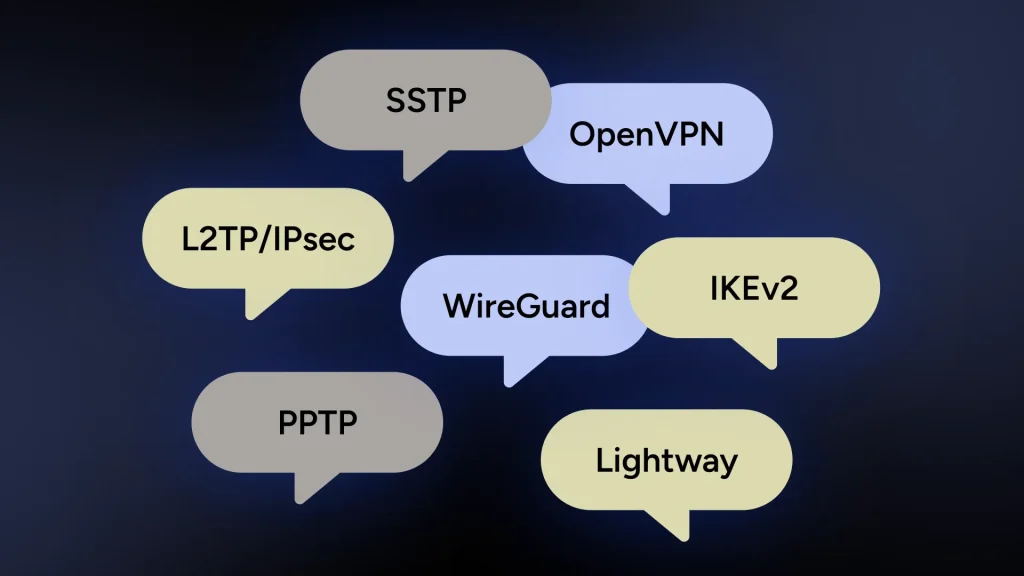
A VPN protocol is the set of rules your VPN uses to create and manage the connection between your device and the VPN server. Encryption scrambles the data traveling through that connection so nobody can easily read it if they intercept it.
The problem is that VPN technology doesn’t stand still. Protocols and encryption methods that were common years ago may no longer offer the protection people expect today. PPTP, for example, is an older protocol with known security weaknesses, and it’s generally no longer recommended when stronger options exist.
Look for a VPN that supports modern, well-established protocols such as WireGuard or OpenVPN and uses strong encryption such as AES-256. If a provider leans on outdated technology or doesn’t explain how it protects your connection, take a closer look.
- Reduce the risk: Use a modern protocol supported by your provider, and check that the VPN uses strong encryption.
2. IP, DNS, and Other Data Leaks
A VPN is supposed to keep your regular IP address and details about your internet activity from being exposed. Sometimes information slips outside the VPN connection anyway. These slips are known as VPN leaks.
An IP leak can expose your real IP address instead of the VPN server’s address. A DNS leak lets your DNS requests, which translate website names into addresses computers can find, travel outside the tunnel. Two other common culprits are WebRTC, a browser feature that can reveal your real IP address, and IPv6 traffic that the VPN doesn’t route through its tunnel.
The tricky part is that your VPN can look connected while a leak happens, which leaves you thinking your connection is more private than it is.
- Reduce the risk: Choose a VPN with built-in leak protection and check your VPN IP address after connecting. A VPN kill switch also helps, because it blocks your traffic if the VPN connection drops unexpectedly.
3. VPN Software Vulnerabilities
VPN apps are software, and like any other software, they can have security issues. A flaw in the app, the server software, or another part of the service can give attackers an opening.
That’s one reason updates matter. When a provider discovers a flaw, an update usually carries the patch. Running an outdated version leaves a known weakness on your device long after the fix is available.
Many of the headline-grabbing flaws over the years involved corporate remote-access VPN appliances rather than consumer apps, but the lesson carries over. What matters most is how quickly the provider finds, fixes, and communicates a problem.
- Reduce the risk: Keep your VPN app updated and choose a provider with a track record of patching problems promptly.
4. Fake or Malicious VPN Apps
Sometimes the VPN itself isn’t what it claims to be. Fake or malicious VPN apps can imitate legitimate services or pose as privacy tools while putting your device and data at risk.
A convincing name, logo, or download page can make a questionable app look legitimate. Once installed, it could collect information, request unnecessary permissions, push unwanted ads, or open the door to other threats.
Where you download your VPN matters, and even an app store listing isn’t a guarantee, because fake apps have slipped into official stores before. Take a moment to confirm you’re getting the real thing.
- Reduce the risk: Start from the provider’s official website and follow its link to the app store listing. Check the developer name, read recent reviews, and be wary of lookalike names and logos.
5. Poor VPN Configuration
Even a well-built VPN can run into trouble if it isn’t configured properly. Settings determine how your VPN connects, which protocol it uses, and what happens when the connection drops.
Sometimes the problem is an advanced setting changed without knowing what it does. Other times, an important protection is simply switched off. With the kill switch off, for example, a dropped VPN connection can send your traffic through your regular connection without any warning.
Split tunneling deserves a mention too. It’s a handy feature that sends selected apps outside the VPN, but anything outside the tunnel gets no VPN protection.
Of course, you don’t need to become your own IT department. Most reputable VPN apps work securely with their recommended settings.
- Reduce the risk: Stick with the recommended settings unless you have a reason to change them, make sure the kill switch is on, and review your settings after any change.
6. Third-Party Infrastructure and Server Risks
Your VPN provider runs the service, but it doesn’t necessarily own every server your connection relies on. VPN companies often use rented servers, data centers, hosting providers, and other third-party services to operate their networks.
Third-party infrastructure isn’t a problem on its own. The risk comes down to how it’s selected, configured, secured, and monitored. A poorly managed server or hosting system can introduce vulnerabilities outside the VPN app itself.
Some providers use RAM-only servers, which wipe their data every time they restart. That limits what anyone could recover from a seized or compromised server, though it doesn’t replace a clear privacy policy.
- Reduce the risk: Look for a provider that’s open about how it runs its server network and what security measures protect its infrastructure. The privacy policy on the official website should cover that.
7. Thinking a VPN Protects You From Everything
A VPN adds an important layer of protection, and one of the biggest dangers of using a VPN is assuming it makes every online threat disappear.
A VPN encrypts your connection to the VPN server and helps hide your regular IP address. It can’t stop you from clicking a phishing link, typing your password into a fake website, or downloading malware, and it can’t repair a device that’s already compromised.
It doesn’t make you anonymous either. Websites can still recognize you through logged-in accounts, cookies, and browser fingerprinting, so a VPN works best alongside privacy-minded browsing habits.
- Reduce the risk: Use your VPN alongside other good habits, including keeping your devices updated, using strong and unique passwords, turning on multi-factor authentication when it’s available, and staying cautious about suspicious links and downloads.
8. Vague Logging Policies and Unclear Jurisdiction
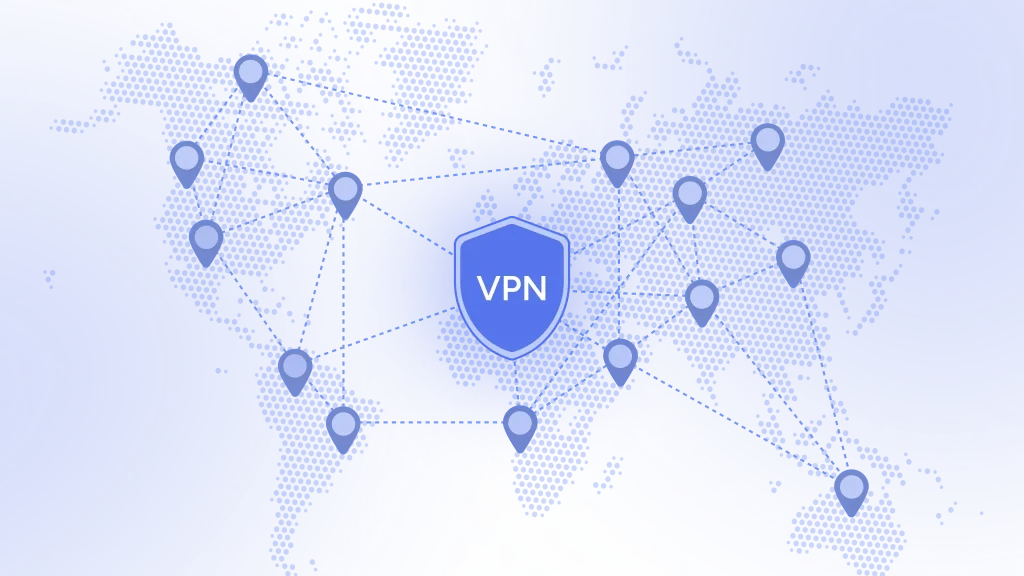
When you use a VPN, you trust another company with a big part of how your internet traffic is handled. That makes the company behind the VPN as important as the technology, and many VPN privacy risks come down to that trust.
Providers differ on what they collect, what they log, how long they keep it, and whether they share it with third parties. Many advertise a no-logs policy, which generally means they don’t keep records of things like the websites you visit or the content of your traffic.
But “no logs” doesn’t mean the provider collects nothing. A VPN may still hold limited operational or account data to run the service, so read past the headline claim and see what the provider actually keeps.
Independent audits help here, because an outside organization examines specific privacy or security claims. An audit covers a defined scope and period, so treat it as a strong signal rather than a lifetime guarantee.
Where a company is based matters too. Providers follow the laws of the country they operate in, and those laws can include data retention rules or legal requests for user information. A provider can only hand over what it holds, so a clear logging policy and open ownership belong on your checklist. If you can’t find out who owns a VPN, treat that as a warning light.
- Reduce the risk: Research the company behind the VPN, read its privacy and logging policies, and look for clear explanations of how it handles your data and where it operates. When available, check whether key claims have been independently audited.
9. Provider Data Breaches
Even a VPN that promises not to track you still stores something, usually account details, email addresses, and payment information. If that database is poorly protected, a breach can expose it.
In July 2026, a database linked to SplitVPN (formerly NotVPN) surfaced on a cybercrime forum. Have I Been Pwned lists 865,336 affected email addresses. Researchers also claimed the dump held roughly 58 million connection logs, which would contradict the company’s no-logs promise. SplitVPN confirmed the subscription data was genuine but disputes the connection logs.
Either way, the case shows that “no logs” is a promise you can’t check from the outside. The less a provider keeps, the less there is to leak.
- Reduce the risk: Choose a provider that collects minimal account data and has a record of open incident reporting, use a unique password for your VPN account, and check your email address at Have I Been Pwned from time to time.
10. Using a VPN Where It’s Restricted
VPN rules differ from country to country. Using a VPN is legal in many places, but some countries restrict, license, or ban it, and illegal activity stays illegal with or without one.
Using a VPN where it’s limited can bring legal trouble that no amount of encryption fixes. A quick read of VPN legality rules before you travel or connect saves you a headache later.
- Reduce the risk: Check local laws before you connect, especially when traveling, and use your VPN only for lawful purposes.
Are VPNs Safe to Use?
So, are VPNs secure? Yes, a reputable VPN can add real privacy and security to your internet connection. The word that matters is reputable.
Strong encryption, modern protocols, leak protection, regular updates, and clear data policies separate the safer VPNs from the risky ones. For a deeper look, read our full guide on whether VPNs are safe.
Are Free VPNs Safe?
Running servers costs money, and there’s no such thing as a free lunch. When a VPN is free, it’s fair to ask who is paying. Some free VPNs earn money through ads, trackers, or by sharing user data, and research on free Android VPN apps has repeatedly found trackers, risky permissions, and leaks in a share of them.
Free doesn’t automatically mean unsafe, though. Some reputable providers offer a free tier with the same core protection as the paid one and limits on things like session length. HidzoVPN’s freemium plan works this way: free users get the same security as premium users, with connection sessions limited to 30 minutes. If you’re new to the idea, this VPN app is an easy way to see what a freemium plan done openly looks like.
A few checks make free VPN risks easier to spot:
- A business model you can explain in one sentence
- A clear privacy policy
- The same encryption and logging policy on the free plan as on the paid one
Continue reading:
How to Reduce VPN Security Risks
You don’t need to be a cybersecurity expert to use a VPN more safely. A few checks before you choose a provider, plus good habits after you connect, reduce most common VPN security risks.
VPN Security Checklist
- Choose a reputable VPN provider with clear privacy and security policies.
- Look for modern VPN protocols such as WireGuard or OpenVPN.
- Check what encryption the VPN uses to protect your connection.
- Read the provider’s logging policy, including what “no logs” actually means.
- Look for independent security or privacy audits when available.
- Find out who owns the VPN and where it is based.
- Download the VPN from the provider’s official website or its linked app store listing.
- Keep your VPN app and devices updated.
- Turn on leak protection and the kill switch when available.
- Test your connection for IP and DNS leaks.
- Avoid changing advanced VPN settings unless you understand what they do.
- Check local VPN laws before you travel.
- Remember that a VPN doesn’t replace strong passwords, multi-factor authentication, and safe browsing habits.
VPN Security Risks vs. VPN Benefits
The benefits and risks of a VPN come as a package, and the risks don’t cancel out the benefits of using a VPN. The key is knowing what a VPN can do for you and where its limits sit.
| VPN Benefit | Risk or Limitation to Keep in Mind |
|---|---|
| Encrypts traffic between your device and the VPN server | Weak or outdated VPN technology may provide less protection |
| Helps hide your regular public IP address | IP, DNS, or WebRTC leaks could expose information |
| Adds protection on untrusted networks | A VPN can’t protect you from every online threat |
| Can reduce what your ISP sees about your browsing activity | Your VPN provider becomes part of how your traffic is handled, and its data can be breached |
| Offers features such as leak protection and a kill switch | Features need proper setup and maintenance to work as intended |
| Fast, modern protocols keep most connections smooth | Encryption and routing add overhead, so speeds can dip |
| Can add another layer to your overall online security | It doesn’t replace strong passwords, software updates, MFA, or safe browsing habits |
The goal isn’t to find a VPN with a magical risk-free guarantee. It’s to choose one where the security and privacy benefits clearly outweigh the risks.
Final Thoughts: Should You Be Worried About VPN Security Risks?
Be careful, not alarmed. A reputable VPN is still a smart privacy tool, and most of the dangers of using a VPN shrink once you pick a provider that earns your trust.
Do a little homework on what’s happening behind the privacy promises, and don’t hesitate to ask a provider directly about its logging practices. If you ask, “What’s your no-logs policy?” and the answer is, “What’s no-logs?” that’s probably not a great sign. Even a provider proudly advertising RAM-only servers should be able to explain its own privacy practices in plain language.
Read the support articles, check the social media accounts, and use the Contact Us page. A reputable provider makes answers easy to find before you hand over the keys to your internet traffic.
If you’re looking for a VPN download from a provider that explains how it handles your data, start with HidzoVPN’s no-logs policy and see if it answers your questions.
FAQs
In theory, yes. VPN apps and servers can have vulnerabilities, and providers can suffer data breaches. A reputable provider that patches quickly and keeps little user data keeps that risk low.
Your traffic passes through its servers, so technically it can. That’s why logging policies, audits, and reputation matter, and why a trustworthy provider designs its service to avoid keeping activity data.
Yes. A reputable VPN encrypts your traffic on open networks, which helps against snooping by others on the same network.
Generally, yes, with a reputable VPN, and the extra encryption helps on shared networks. Your bank may flag a login from an unfamiliar location, so expect an extra verification step.
No. VPNs protect data in transit but don’t anonymize identity. Use additional privacy tools (privacy-conscious browsers, minimal metadata, disable telemetry) and avoid logging in to accounts you want private.
No. They hide your data from your ISP and local networks, but the VPN provider, websites, and potentially government actors can still observe traffic metadata and connections.
Article by
-
 Sam Clarke
Sam is a cybersecurity and online privacy writer dedicated to making complex network protection accessible, practical, and engaging.




Share your thoughts
Add a comment