Can You Be Traced With a VPN? How Tracking Works and How to Cut It Down
You switch on your VPN, the shield icon turns green or whatever, and for a moment you feel like a ghost gliding through the internet….
Protect your online privacy and security
Fast, private, and easy to use, get Hidzo on your device and browse freely with one tap.
Get HidzoVPNTable of Contents
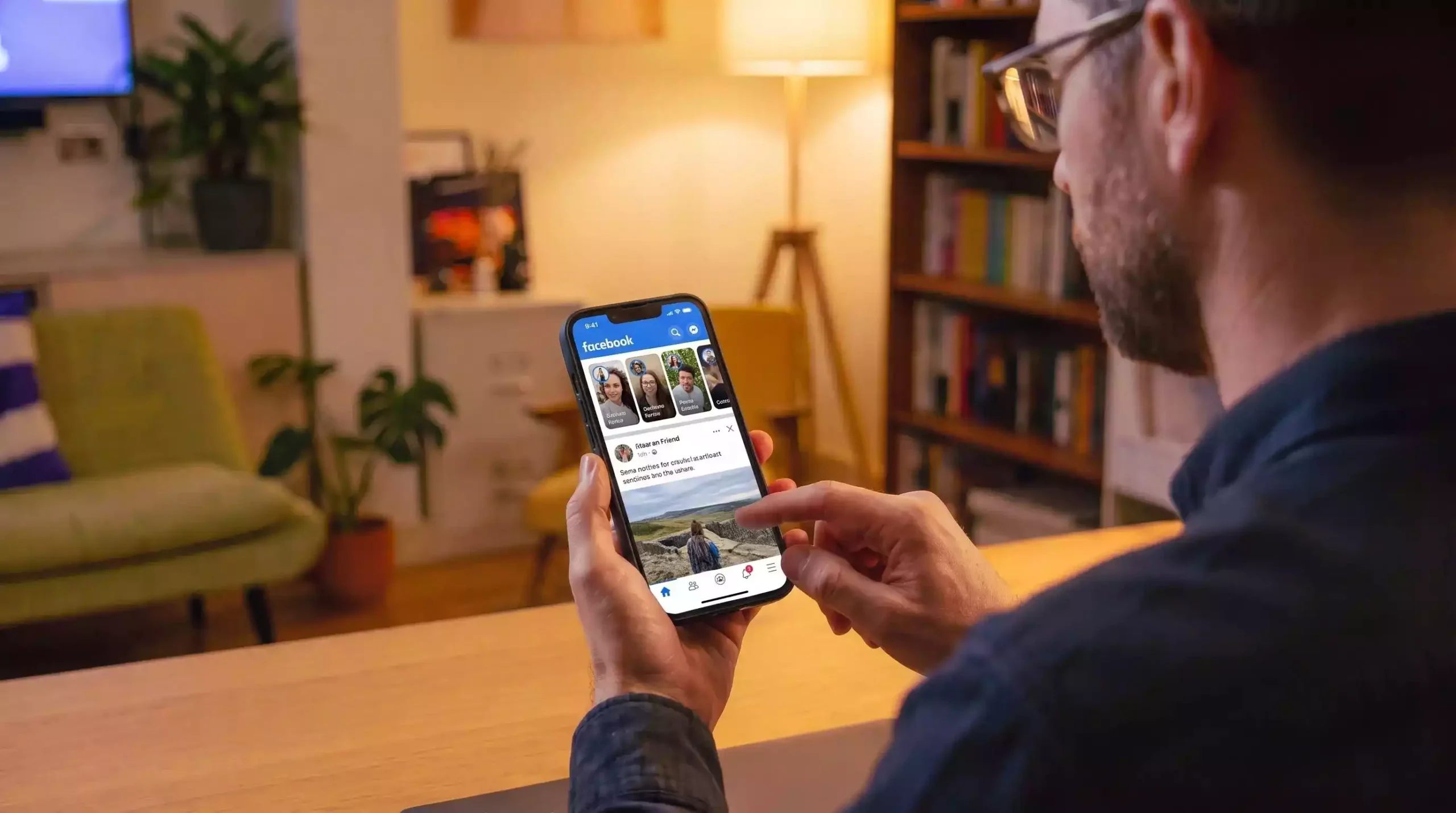
You switch on your VPN, the shield icon turns green or whatever, and for a moment you feel like a ghost gliding through the internet. Then Instagram serves you an ad for the exact hiking boots you looked at ten minutes ago, and the ghost act falls apart.
So, does a VPN prevent tracking? Well, it shuts down tracking that depends on your IP address and your network, but it does nothing about what happens after you sign in, accept a cookie, or let your browser hand over its details. So, can you be tracked with a VPN? Yes, and this guide shows you where, layer by layer.
Online Tracking Works in Layers, and a VPN Covers Only the Bottom One
Most articles treat tracking as one big blob, which is why the answers feel so contradictory. It helps to picture a stack instead. Each layer collects a different kind of data, and a VPN only reaches into the network layer.
| Layer | What gets collected | Who uses it | Does a VPN change it? |
|---|---|---|---|
| Network | IP address, connection metadata, DNS lookups | ISP, Wi-Fi owner, websites | Yes, mostly |
| Browser | Cookies, local storage, fingerprint | Websites, ad networks | No |
| Account | Logins, emails, phone numbers | Google, Meta, retailers | No |
| App and server | Tracking pixels, server-to-server data, SDKs | Meta, ad platforms, data brokers | No |
| Device | Ad IDs, hardware details, installed software | Apps, employers, malware | No |
Picture one person on the same laptop, browsing first through a VPN server in Berlin and then through one in Lisbon, signed into the same Google account both times. Google sees two different IP addresses and one identical account, so it links both sessions in seconds. The IP changed; the identity did not.
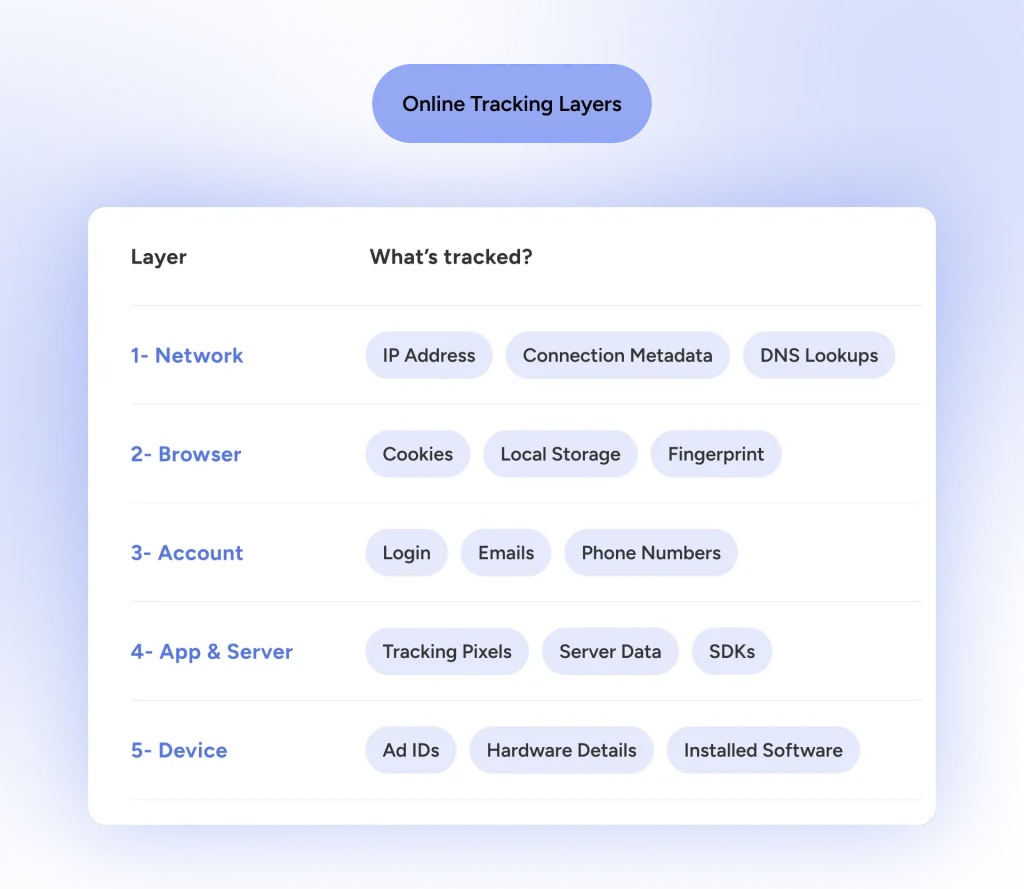
So how can you be tracked with a VPN? Through every layer except the first one, and the sections below take them in turn.
What a VPN Stops
Credit where it’s due, because the network layer matters more than people admit. Your connection passes through a lot of hands before it reaches a website, and a VPN cuts most of them out of the loop.
Number one is your ISP. It still sees that you connected to a VPN server and roughly how much data you moved, but the sites and content inside the encrypted tunnel stay hidden. That alone removes a major source of browsing-history logging.
Continue reading: Does ISP Track Me? Strategies to Outsmart Your Provider’s Watchful Eyes
Next is the Wi-Fi owner and anyone else on the network. Many “free” hotspots earn money from browsing data, and the VPN scrambles that stream into gibberish. Therefore, a snoop at a coffee shop sees nothing readable, although the VPN cannot help if malware already sits on your device.
On a related note:
Do You Really Need a VPN on Public Wi‑Fi?
Websites and ad networks that rely on your IP see the VPN server’s address, which thousands of other users share. That breaks simple location profiling, so can advertisers track you with a VPN through your IP? Not that way. You can confirm the swap with a quick VPN IP address check before and after connecting.
The Importance of a Reliable and Secure VPN
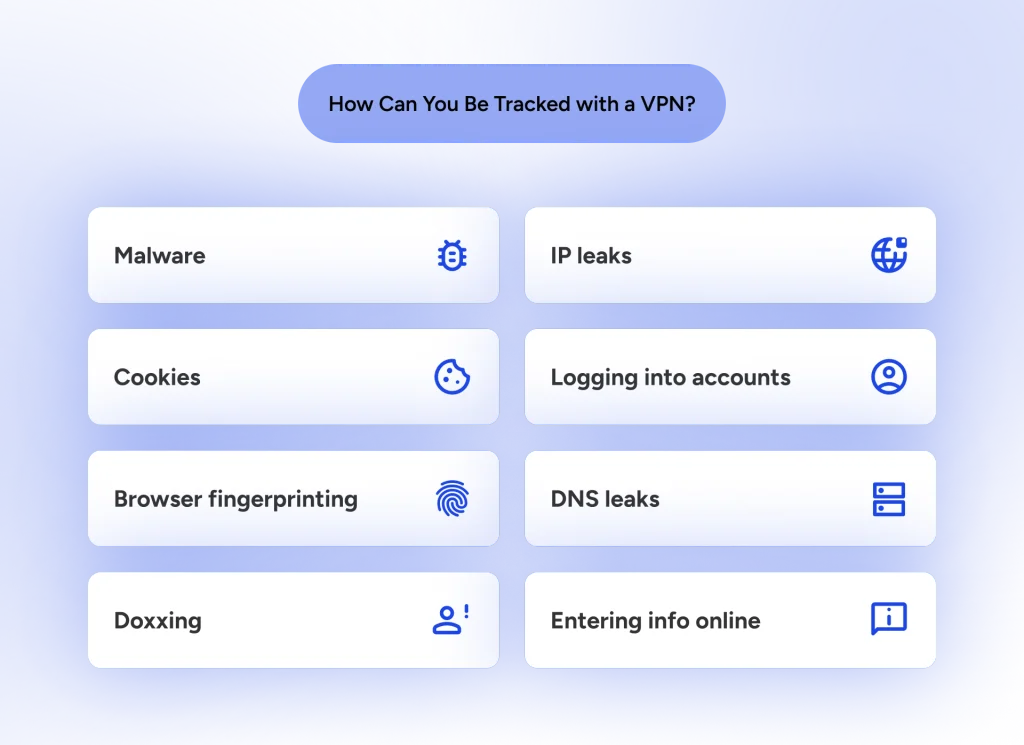
A VPN can’t even do THAT, if you don’t choose wisely. The tunnel has to be airtight, and three leaks quietly undo it.
- DNS leaks send your domain lookups to your ISP’s resolver instead of the VPN’s.
- IPv6 leaks happen when your device sends IPv6 traffic outside a tunnel built only for IPv4.
- WebRTC leaks let your browser reveal your real IP through a side channel.
A dropped connection is another weak moment, since traffic can slip out unprotected. A VPN kill switch blocks the internet until the tunnel returns, which is why HidzoVPN includes one.
What Follows You Through the Tunnel
Let’s get to the uncomfortable part. Everything below happens on top of the tunnel, so the VPN cannot see it, let alone stop it.
Your Logins
Once you sign in, Google ties your searches, YouTube history, and Maps activity to your account, and your IP address plays a minor role in that. Log into Gmail through a server in Tokyo, and Google still knows exactly who you are; it just believes you’re vacationing in Japan. The same logic applies everywhere, so can social media track you with a VPN? Absolutely, as long as you’re logged in.
Cookies and Local Storage
A cookie is a small ID tag stored in your browser, not on your network, so a VPN can’t stop it from tracking you. Visit a shoe store, pick up a tracking cookie from an ad network, and the next site running that network’s script recognizes you, regardless of using a VPN or not. However, if ad-tracking is based on IP address, your VPN app can stop that.
Local storage and ETags work the same way and often survive casual cookie clearing.
Browser Fingerprinting
Fingerprinting combines details such as screen size, fonts, time zone, language, graphics rendering behavior, and browser version. Each detail means little alone, but together they often single out one browser among millions.
Nothing is stored on your device, so there is nothing to clear. A VPN can even make you stand out when your time zone says Warsaw and your IP says Tokyo. You can test how unique your browser looks with the EFF’s Cover Your Tracks tool.
On a related note:
Online Privacy Guide for Managing Your Digital Footprint: 5 Tools + 20 Tips
Mobile Apps: Tracking Beyond the Browser
If you think switching from a desktop browser to a smartphone app buys extra anonymity, your device has bad news for you. Mobile apps skip browser cookies entirely and query your hardware directly.
Both Android and iOS assign your phone distinct advertising identifiers called GAID (Google Advertising ID) on Android and IDFA (Identifier for Advertisers) on Apple devices. When you launch an app, embedded Software Development Kits (SDKs) collect these system tokens alongside your phone model, screen resolution, and battery status.
Because these SDKs transmit details directly to ad networks from inside the app, hiding your IP with a VPN is like wearing a fake mustache while holding your driver’s license in plain sight.
Meta Pixel and Server-Side Tracking
Thanks to Meta Pixel, Facebook can still track you with a VPN. Websites embed the Meta Pixel, a small script that reports your visits and actions back to Meta. Since the script loads like any other page code, the VPN carries that traffic along with everything else. Bigger advertisers also send data straight from their own servers to Meta, a route that never touches your browser at all.
So, can Instagram track you with a VPN? The same way, since Instagram and Facebook both feed Meta’s ad system, and all a VPN can do is mask your IP.
The EFF also reported that Meta’s pixel could re-identify Android users through a link with Meta’s own apps, even when they cleared cookies, browsed in incognito mode, or hid their IP with a VPN.
Generally speaking, a plain VPN does not block trackers, because trackers arrive inside the page itself. We come back to that in the tracker blocker comparison below.
Does HTTPS Hide Your Browsing?
Scrambling page content is standard these days, but basic HTTPS still leaves your destination website domain exposed in plain text via the Server Name Indication (SNI) header. Your ISP can still see that you are hanging out on an obscure medical forum, even if they can’t read the exact thread. A VPN seals that whole conversation inside an encrypted pipe.
Newer browser standards like Encrypted Client Hello (ECH) aim to patch this gap, but until ECH becomes universal, your VPN remains the main line of defense.
Can You Be Traced With a VPN? The Provider, the Law, and Your Employer
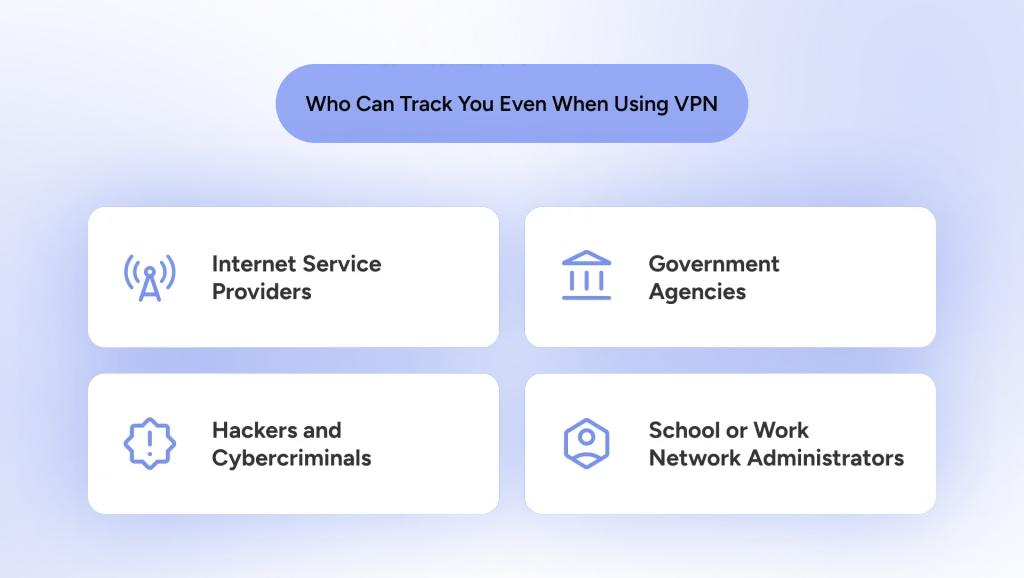
Being tracked and being traced are close cousins. Tracking builds a profile, while tracing tries to point at a real person. The better question is who can track you with a VPN, and what each of them can actually get.
Your VPN Provider
A VPN moves trust from your ISP to your VPN provider. The provider sees your real IP and connection times, so its logging policy is what counts. A strict no-logs policy, ideally checked by an independent audit, leaves little to hand over, and HidzoVPN follows that zero-logs standard.
Governments and Police
Government or police tracking depends on the country, the provider, and which records exist. With no logs, a legal request to the provider returns very little.
Investigators still have other routes, though. These include records from the platform you signed into, payment details, and traffic correlation, which compares the timing and volume of data entering and leaving a VPN server. Correlation needs visibility at both ends, so it is rare, but it explains why “untraceable” is a strong word.
Good to Know:
Authorities rarely need to “crack” 256-bit VPN encryption when human operational security (OPSEC) slips are far easier to exploit. Investigators typically trace individuals through simple mismatches, like buying a VPN with a personal credit card, leaving active logged-in social media sessions running in the background, or timestamp correlation. They match the exact millisecond a message was posted to an outgoing data burst from a VPN server. The encryption holds; the operational discipline fails.
On a related note:
Your Employer
On a work computer, your employer can track you even with the VPN on. Device management tools, monitoring agents, and keyloggers run on the device itself, so a personal VPN cannot hide anything from them. Even on a personal device joined to the office network, IT can still see that a VPN tunnel exists.
Hackers and Cybercriminals
A VPN is great at stopping a local snoop from eavesdropping on your traffic at a public Wi-Fi spot. But if a hacker wants to track you specifically, they won’t waste time trying to crack 256-bit VPN encryption; they will just walk around it.
If you accidentally download an infostealer, a keylogger, or a malicious browser extension, the attacker sits on your device before the VPN tunnel scrambles your data. They can log your keystrokes, capture your screen, and snatch active session cookies right out of your browser. Once a hacker has your session tokens, they can log into your accounts and track your activity directly from the inside, completely indifferent to whether your VPN shield icon is green, blue, or glowing in the dark. The tunnel remains safe, but the endpoint at either end is wide open.
VPN vs Tracker Blocker: Different Tools for Different Layers
The VPN vs tracker blocker debate misses the point, because each one guards a different layer. A VPN protects the pipe. A tracker blocker, usually a browser extension or a privacy-focused browser, filters what loads inside the page.
| Capability | VPN | Tracker blocker / privacy browser |
|---|---|---|
| Hides your IP from websites | Yes | No |
| Hides your sites from your ISP | Yes | No |
| Encrypts traffic on public Wi-Fi | Yes | No |
| Blocks third-party cookies and pixels | No | Yes |
| Reduces fingerprinting | No | Partly |
| Stops account-based tracking | No | No |
Some VPN apps add DNS-level filtering for known ad and tracker domains, which helps. It has limits, though. Trackers built into a page’s own code, or served from the site’s own domain, can slip past a DNS blocklist, so a browser-level blocker still earns its place. Treat built-in filtering as a bonus, not a replacement.
A Practical Setup That Covers Every Layer
Here is how to avoid being tracked online without wearing a tinfoil hat. The habits below map to the layers from the table above.
- Lock down the network layer. Turn on the kill switch and auto-connect, then run a DNS and WebRTC leak test. A reliable VPN app with a kill switch and a zero-logs policy handles this layer well.
- Separate your accounts from your browsing. Use one browser profile for anything logged in to Google or Meta, and another for everything else. If your VPN supports split tunneling, you can even route just your private browser through the tunnel.
- Add a tracker blocker. Firefox with strict tracking protection, Brave, or an extension such as Privacy Badger blocks known pixels and cross-site cookies.
- Keep your browser boring. Odd fonts and a pile of extensions make your fingerprint more unique, so stick to a mainstream setup and re-run the fingerprint test now and then.
- Use the platform settings. In Meta’s Accounts Center, open “Your information and permissions,” then “Your activity off Meta technologies,” and disconnect future activity. In your Google account, pause the web and app activity controls.
- Clean up on a schedule. Clear cookies and site data regularly, and log out when you finish.
Privacy Testing and Diagnostic Toolkit
Rather than guessing whether your setup works, test your exposure directly using these free diagnostic tools:
- Cover Your Tracks (EFF): Evaluates how unique your browser fingerprint appears to commercial trackers.
- CreepJS / AmIUnique: Analyzes deep fingerprinting metrics, including canvas rendering nuances, hardware parameters, and system font lists.
- BrowserLeaks.com: Scans for active WebRTC leaks, IPv6 address bypasses, and hardware identity markers.
Final Words
A VPN is an excellent network-layer tool and a weak everything-else tool. It keeps your ISP, the Wi-Fi owner, and IP-based profilers out of your business, but it cannot stop a site that already knows who you are. Pair it with a tracker blocker, sensible logins, and tighter platform settings, and you cover most of the stack.
Before you close this tab, run through this quick checklist:
- VPN on, kill switch on, leaks tested
- Separate profile, or logged out, for Google and Meta
- Tracker blocker or privacy browser active
- Meta and Google activity settings tightened
- Browser fingerprint checked
FAQs
Not when you’re signed in. Google links activity to your account, so the VPN only changes the IP address it sees. Logging out and using a separate profile reduces the tracking.
Yes. Facebook uses logins, cookies, the Meta Pixel, and server-to-server data, and none of those depend on your IP. A VPN only hides your location.
No. It gives you privacy from your ISP and network snoops, but accounts, payment details, and fingerprints can still identify you. Tor is the better fit if you need real anonymity.
It helps a little, but not much. Incognito clears local cookies when you close the window, yet fingerprinting and account logins still work, and your VPN provider still sees your real IP.
It has the same limits as on a desktop. Mobile apps track through advertising IDs and built-in SDKs, so a VPN does not stop them. Resetting or limiting your ad ID in phone settings covers that gap.
Often, yes. Sites can compare your IP against known VPN server ranges. They still see the server’s address rather than your real one.
Some do. Free services may log connection data or share it with third parties, which cancels out the privacy benefit. Check the logging policy before you trust any provider.
They solve different problems. A VPN protects your connection and IP, while a tracker blocker filters cookies, pixels, and scripts. Using both covers far more ground than either alone.
Article by
-
 Sam Clarke
Sam is a cybersecurity and online privacy writer dedicated to making complex network protection accessible, practical, and engaging.




Share your thoughts
Add a comment