VPN for Call of Duty Warzone: Fix Latency and Beat SBMM
We have all been there; you drop into a match expecting a chill evening, only to get instantly beamed by a four-stack sweating like they…
Protect your online privacy and security
Fast, private, and easy to use, get Hidzo on your device and browse freely with one tap.
Get HidzoVPNTable of Contents
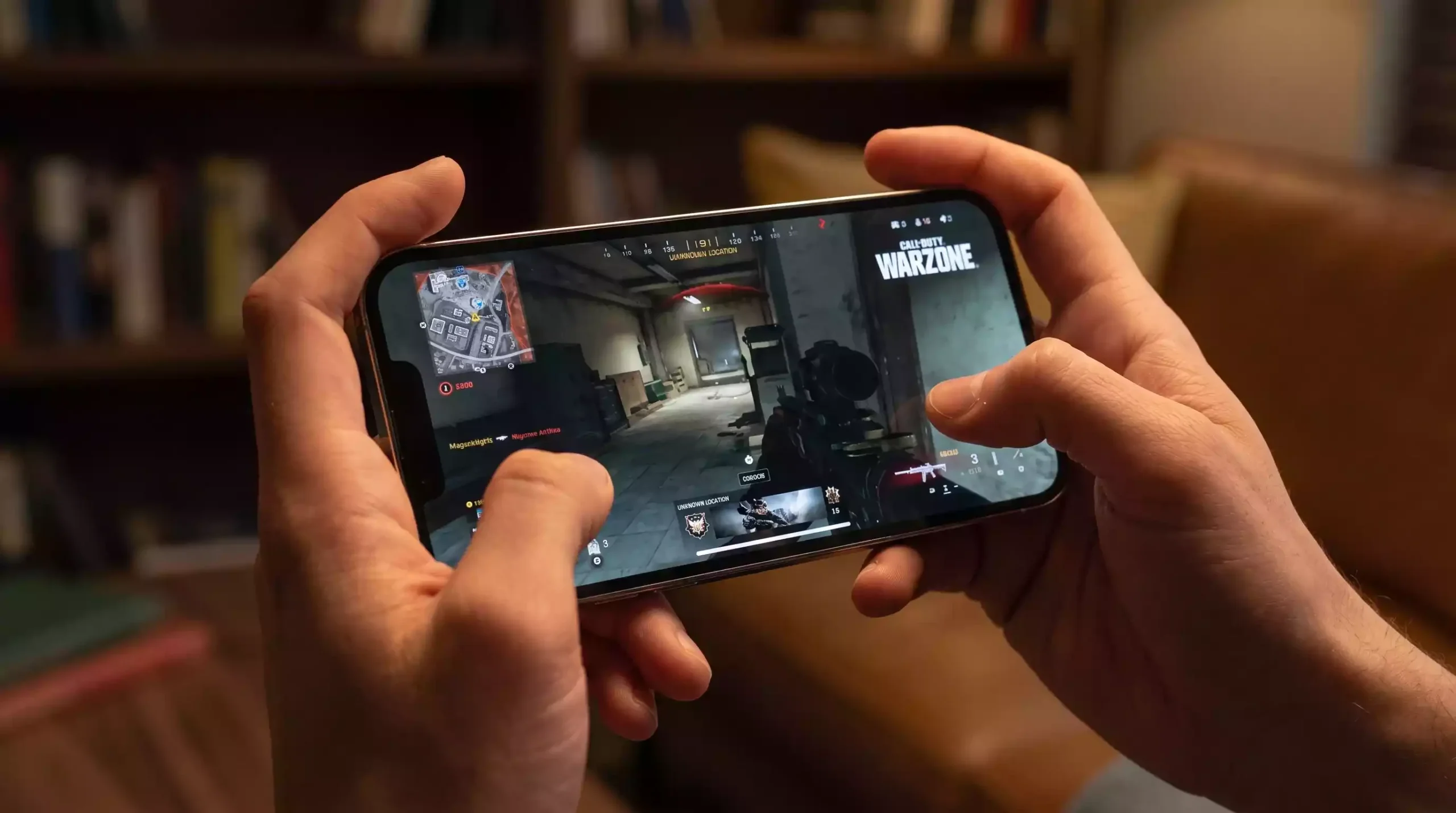
We have all been there; you drop into a match expecting a chill evening, only to get instantly beamed by a four-stack sweating like they are in the Call of Duty League finals. Aggressive Skill-Based Matchmaking (SBMM) paired with random ISP latency spikes turns your favorite battle royale into a relentless headache in just a few drops.
The quick fix is straightforward; running a specialized VPN for Call of Duty Warzone bypasses local internet traffic jams and lands you in less overcrowded matchmaking queues. Stay tuned, because keeping your ping low while getting smoother lobbies takes a few specific routing tricks that most generic setup guides leave out.
How a Warzone VPN Works: SBMM and Routing Demystified
Warzone matchmaking evaluates three main factors when you hit that search button: your ping, your recent performance stats, and how long you have been waiting in queue. As wait times climb, the system relaxes its skill restrictions to fill the lobby quickly.
A Warzone VPN SBMM strategy takes full advantage of this balancing act. By connecting to a server in a region where local players are asleep or at work, total active player counts drop significantly.
When the game cannot find enough local players of your exact skill tier during off-peak hours, it prioritizes fast matchmaking over strict skill matching. That is how smart players learn how to bypass SBMM Warzone without breaking the core matchmaking engine.
However, routing your entire connection across the globe can easily turn your ping into a disaster. Standard VPNs encrypt every bit of background traffic, which adds unnecessary distance and latency.
To keep your connection tight, you need to know the difference between standard and gaming-focused routing:
- Full-Tunnel VPNs: Encrypt all background and game data, effectively spoofing your region but potentially increasing latency.
- Gaming Optimizers (GPNs): Redirect only specific matchmaking packets, serving as an ideal VPN for Warzone low-ping connections by keeping your actual gameplay traffic on direct paths.
Will You Get Banned? Warzone VPN Safety and Ricochet Anti-Cheat
Every gamer’s biggest fear is waking up to an account suspension. So, can you get banned for using VPN on Warzone? The direct answer is no, as long as you use network routing for ping stability rather than malicious account spoofing.
Activision’s official Security and Enforcement Policy targets software that manipulates game memory, alters files, or hides toxic behavior. Standard connection optimization simply redirects your internet traffic down cleaner digital highways without touching the game files.
So, can you use a VPN on Warzone without stressing out? Absolutely, because altering your data route to avoid ISP throttling is completely legal. The Ricochet anti-cheat engine monitors for unnatural cheating behaviors, not network route tweaks.
To keep your account completely clear of system red flags, stick to these basic rules:
- Use Modern Protocols: Reliable VPN protocols like WireGuard or XTLS Reality prevent random connection drops that could trigger network disconnect warnings.
- Avoid Frequent Node Swapping: Jumping across five different continents in ten minutes looks suspicious to security logs. Stick to one region per play session.
- Never Bypass Active Bans: Using a VPN to evade an existing shadowban will backfire quickly when system diagnostics re-verify your hardware signature.
If you stick to these basic guidelines, the real answer to “does VPN work on Warzone?” safely is a resounding yes. You get the stability you need without risking your hard-earned weapon camos.
5 Best Gaming VPNs for Call of Duty Warzone
Finding the best VPN for Warzone does not mean you have to burn cash on massive commercial brand names that focus more on TV streaming than gaming connections. What matters most to Warzone players is low latency, protocol efficiency, stability, and pricing that leaves money in your wallet.
Here is how five gaming-optimized providers stack up when you drop into the game.
| Provider | Primary Focus | Ping Impact | Pricing Model |
|---|---|---|---|
| Surfshark | Full privacy & household use | Low to Moderate (WireGuard) | ~$2.49/mo (Long-term plans) |
| HidzoVPN | Smart-routing & low ping | Minimal (Smart XTLS) | $2.99/mo (Free tier available) |
| NoLagVPN | Matchmaking location spoofing | None (Matchmaking split) | ~$6.50/mo |
| LagoFast | Packet loss & route stabilization | Very Low (GPN multi-path) | ~$7.00/mo or hourly pay-as-you-go |
| Mudfish | Micro-budget & node customization | Low (Manual node pairing) | Pay-per-bandwidth (~$3 for months) |
1. Surfshark (Best Budget Full-Featured VPN)
If you want an all-in-one privacy tool that also handles best gaming VPN for Warzone duties, Surfshark offers a deep server roster at a low entry cost.
- Key Strengths: WireGuard protocol implementation, built-in DDoS attack protection, and unlimited device connections on one account.
- Warzone Performance: Delivers fast download speeds and consistent connection stability when connected to nearby regional servers.
- Price: Budget-friendly multi-year plans starting around $2.49 per month.
2. HidzoVPN (Best Overall Smart-Routing VPN)
If you are looking for a reliable low-ping VPN for Warzone that costs less than a single skin bundle, HidzoVPN leads the pack. Built specifically with smart server routing, it automatically picks the optimal path to prevent mid-game latency spikes.
- Key Strengths: Features next-gen XTLS Reality encryption and smart protocol selection to bypass heavy packet inspection without dropping frame data.
- Warzone Performance: Maintains high connection speeds and bandwidth retention, making it an ideal best VPN for Call of Duty players who need stable ping.
- Price: Extremely budget-friendly VPN pricing, along with a functional free VPN for Warzone tier for quick sessions.

3. NoLagVPN (Best for Matchmaking Manipulation)
NoLagVPN operates differently from traditional VPNs because it does not tunnel your full internet connection. Instead, it redirects and spoofs only your matchmaking location while keeping your gameplay connection direct.
- Key Strengths: Zero impact on in-game ping and virtually zero FPS drops because main game traffic avoids encryption overhead.
- Warzone Performance: Built purely as a Warzone bot lobby VPN, making it simple to find open regional matchmaking pools.
- Price: Around $6.50 per month, though it lacks general internet privacy features for daily web browsing.
4. LagoFast (Best Dedicated GPN)
LagoFast functions as a Gamer Private Network (GPN) rather than a standard privacy tool. It analyzes route hops between your home network and game servers to bypass broken ISP routing nodes.
- Key Strengths: Includes dedicated ping stabilization tools, real-time packet loss repair, and an integrated FPS booster.
- Warzone Performance: Excellent at smoothing out jitter and preventing sudden rubberbanding during intense firefights.
- Price: Flexible subscription plans including hourly pay-as-you-go options starting around $7.00 per month.
5. Mudfish (Best Micro-Budget Pay-Per-Traffic Pick)
For players who want granular control over every single server hop without paying recurring monthly fees, Mudfish is an unsung hero. It charges you based on raw data consumption rather than a standard monthly subscription.
- Key Strengths: Over a hundred public and private node choices worldwide, allowing manual node pairing for custom route optimization.
- Warzone Performance: Delivers a solid VPN to reduce lag in Warzone once configured, using minimal data since gameplay consumes very little bandwidth per match.
- Price: Pay-per-bandwidth model where $3.00 can easily last three to six months of active gaming.
Best VPN Locations and Server Times for Warzone Bot Lobbies
Finding the best VPN location for Warzone bot lobbies comes down to simple math and time zone differences. You want to connect to a region where active player counts are low, forcing the game engine to prioritize filling slots over matching strict skill levels.
The sweet spot for finding a Warzone bot lobby VPN route is between 3:00 AM and 7:00 AM local time in your target destination. Most casual players are asleep and competitive groups are offline, leaving open matchmaking queues waiting for extra players.
Selecting the best VPN location for Warzone requires balancing geographic distance with off-peak timing, ensuring you do not trade SBMM relief for unplayable lag.
| Target Region | Best Local Server Window | Latency Impact | Matchmaking Profile |
|---|---|---|---|
| Egypt / Kenya | 3:00 AM – 7:00 AM EEST | Moderate | Low player density, relaxed SBMM |
| Hawaii (US West node) | 2:00 AM – 6:00 AM HST | Moderate to High | Smaller regional pool, casual queues |
| Singapore | 4:00 AM – 8:00 AM SGT | Low to Moderate | Mixed skill levels, quick queue drops |
| Chile / Argentina | 3:00 AM – 7:00 AM CLT | High | Relaxed skill checks, lower lobby density |
If you are hunting for a VPN for easy lobbies Warzone sessions, stick to servers that keep your ping below 100 ms whenever possible. High latency makes winning gunfights frustrating, even when your opponents are completely oblivious to your flank.
Targeting different time zones turns your Warzone easy lobby VPN setup into a reliable tool. Just remember to check the actual local time in your destination region before hitting the launch button.
How to Set Up and Use a VPN for Warzone on PC and Consoles
Learning how to use VPN for Warzone on PC takes just a couple of minutes because modern software handles the heavy lifting. All you need to do is configure a few basic settings before launching Battle.net or Steam.
- Close Warzone and any background launcher applications completely.
- Open your provider app, such as HidzoVPN, and select your target destination.
- Turn on the connection and verify that your active IP address matches the target server.
- Launch Warzone, jump into a match, and check your latency indicator on the dashboard.
Setting up a Warzone VPN for PS5 or Warzone VPN for Xbox requires a small workaround since modern consoles do not support direct client app installs. Luckily, you can easily route your console traffic using a PC connection or your home router.
Method 1: PC Internet Sharing (Fastest for Consoles)
- Connect your console to your PC using an Ethernet cable, or connect to your PC’s Wi-Fi hotspot.
- Turn on your VPN app on your PC.
- Open network settings on your PC and enable Internet Connection Sharing so your console routes traffic through the active connection.
Method 2: Router Installation
- Log into your home router admin dashboard using a web browser.
- Upload your provider’s OpenVPN configuration files to the router settings.
- Assign your console’s IP address to the VPN tunnel so all gaming data routes automatically.
Mastering how to get bot lobbies in Warzone with VPN configurations simply comes down to verifying that your console network test shows your target gateway location before you start searching for a game.
Troubleshooting: How to Reduce Lag in Warzone While Using a VPN
Sometimes your connection hits a bump in the road, and your ping shoots through the roof right in the middle of a gunfight. Fixing latency spikes usually comes down to clearing out network bottlenecks before they ruin your match.
If you are trying to configure a VPN to reduce lag in Warzone, a few quick adjustments will get your connection back on track:
- Switch to Modern Protocols: Avoid heavy legacy protocols like OpenVPN. Stick to WireGuard or smart protocols like XTLS Reality to keep packet overhead light.
- Enable Quality of Service (QoS): Open your router settings and prioritize your gaming PC or console traffic over background downloads and TV streaming.
- Adjust MTU Size and Forward Ports: Set your router MTU size to 1492 or 1500 to prevent packet fragmentation, and forward Activision’s recommended game ports.
- Use Intermediate Nodes: Do not connect to a server clear across the globe if you want crisp gunplay. Select nodes positioned between your physical location and the game server.
Applying these basic network tweaks turns your setup into the best VPN for Call of Duty performance, eliminating rubberbanding while keeping your connection fast.
Final Verdict: Choosing the Right Warzone VPN
Finding the right tool comes down to your primary gaming goal and hardware setup. There is no reason to overpay for bloated subscription packages when focused gaming solutions deliver better overall performance.
- Best Overall Value: HidzoVPN offers the best balance of ultra-low latency, modern XTLS protocols, console compatibility, and budget-friendly pricing.
- Best for Matchmaking Only: NoLagVPN keeps your ping completely unchanged by rerouting only matchmaking traffic on PC.
- Best for Network Jitter: LagoFast excels at stabilizing connections and repairing real-time packet loss.
- Best for Technical Budget Players: Mudfish gives you full control over manual node pairing with cheap pay-per-bandwidth pricing.
Pick the tool that fits your gaming habits, optimize your router settings, and drop into your next match with confidence.
FAQs
A VPN can reduce your ping if your Internet Service Provider is actively throttling your traffic or using poor routing paths to Activision servers. Connecting to an optimized VPN server creates a more direct route, reducing latency spikes and stabilizing packet transmission.
Using a VPN for ping reduction or network stability does not violate Activision terms of service. However, constantly changing server locations across distant continents within minutes can trigger safety checks. Stick to consistent regional nodes during your gaming sessions to keep your account clear.
HidzoVPN provides a reliable free tier that allows gamers to test server routes without hidden speed caps or aggressive bandwidth limits. Most standard free VPNs choke bandwidth and increase lag, making them unusable for fast battle royale games.
Yes, a VPN works on consoles when routed through an Internet Connection Sharing setup on a PC or configured directly on your home router. Consoles do not support native VPN apps, but network-level routing achieves the exact same result.
Regions like Egypt, Kenya, Hawaii, and parts of South America often yield easier lobbies when played during local off-peak morning hours (3:00 AM to 7:00 AM local target time). Lower player population forces matchmaking to relax strict skill rating checks.
High ping usually happens when you connect to a server location that is physically too far from your real location, or when using heavy legacy encryption protocols like OpenVPN. Switching to WireGuard or smart routing protocols will immediately improve connection speed.
Yes, tools that utilize split-tunneling or matchmaking-only redirection allow you to optimize your connection path or spoof matchmaking data while keeping your primary internet connection connected to local nearby infrastructure
Article by
-
 Sam Clarke
Sam is a cybersecurity and online privacy writer dedicated to making complex network protection accessible, practical, and engaging.




Share your thoughts
Add a comment