Best VPNs for Free Fire: Lower Ping, Unlock Regions & Avoid Account Bans
In Free Fire, a single millisecond of lag can be the difference between dropping a clutch gloo wall or getting sent back to the lobby…

Protect your online privacy and security
Fast, private, and easy to use, get Hidzo on your device and browse freely with one tap.
Get HidzoVPN In Free Fire, a single millisecond of lag can be the difference between dropping a clutch gloo wall or getting sent back to the lobby instantly. High ping, rubber-banding, and unfair region locks keep millions of players from enjoying the game at its best.
If you want a quick fix, using a VPN can stabilize bad ISP routing, bypass network blocks on school or work Wi-Fi, and let you snag exclusive rewards from other regional servers, assuming you pick the right one.
Here is the best part: every single VPN featured on this list comes with a genuinely free tier, meaning you can lower your latency and unlock international events without spending a single penny. Stick around, because we are breaking down which free VPNs actually deliver fast speeds, how to avoid Garena account bans, and the exact settings you need to keep your ping green.
Table of Contents
Best VPNs for Free Fire
Choosing the right VPN for Free Fire isn’t just about picking the first app you see in the store. You need low latency, zero packet loss during intense firefights, and a service that won’t sell your bandwidth to third parties.
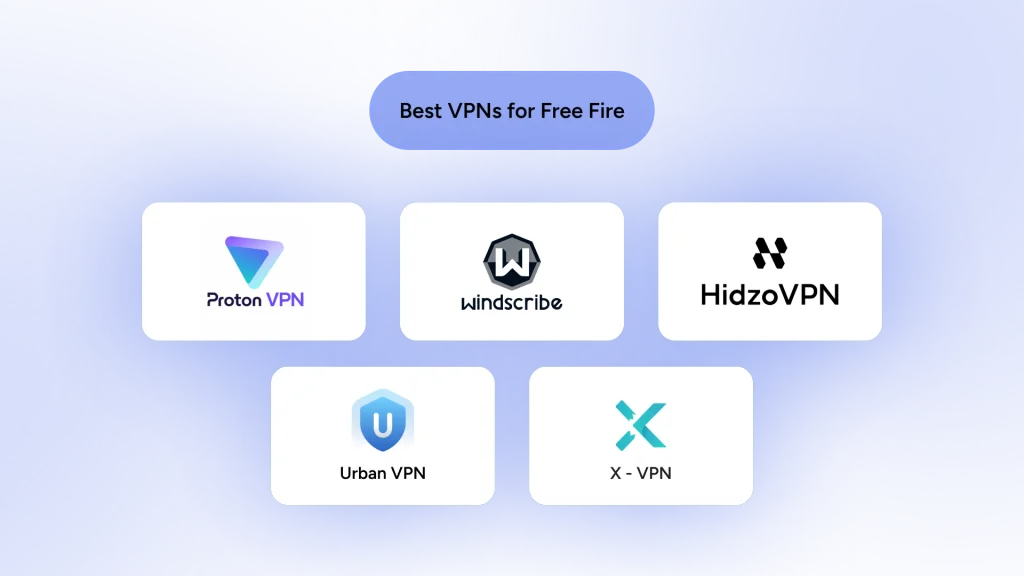
Here are the top five free-tier VPNs that actually deliver for mobile gamers, ranked by their performance, stability, and ease of use.
Important Note:
You can find hundreds of entirely free VPN apps on your app store, but most of these apps deliver slow connections and shady security. Plus, they might sell users’ data to make up for costs and earn a profit.
The providers selected here offer a fast and secure free tier, but there are limitations, too. Just install any of them, and if you liked what you got, purchase their premium plans to remove limitations.
1. Proton VPN: Unlimited Data for Non-Stop Gaming Sessions
If you hate data limits kicking you out mid-match, Proton VPN is your best friend. Swiss-built and heavily focused on privacy, it is one of the very few reputable VPNs that offers a 100% unlimited free plan. You can play Free Fire for hours without worrying about hit boxes freezing because your data ran out.
- Gaming Highlights: Powered by the ultra-fast WireGuard protocol, which keeps packet loss minimal and speed high.
- Free Tier Perks: Unlimited bandwidth, strictly zero logs, and zero ads on the mobile app.
- The Catch: The free plan randomly auto-assigns your server location (usually USA, Netherlands, or Japan), so you cannot manually choose specific regional event servers for free.
- Best Suited For: Gamers who want endless, secure play sessions without paying or dealing with ad pop-ups.
2. Windscribe: Unlocking Geo-Locked Events & Regional Skins
Windscribe is famous in the gaming community for its generous free features and flexible server choices. If your main goal is jumping to a specific country’s server to snag exclusive event redeem codes or rare incubator skins, Windscribe gives you the keys.
- Gaming Highlights: Custom “ROBERT” server-level filtering helps block annoying background tracker bloat, keeping your ping ping-ponging less.
- Free Tier Perks: Generous 10GB to 15GB monthly data allowance when you confirm your email, with free access to servers in 10+ countries.
- The Catch: Download large game updates or resource packs before turning the VPN on, or that 10GB cap will melt fast.
- Best Suited For: Region hoppers who want to participate in international Free Fire events and claim special loot.
3. X-VPN: One-Tap Quick Setup with Gaming Routes
X-VPN is an incredibly popular mobile VPN due to its sheer simplicity. You tap one big button, and you are immediately connected to a fast route. It uses proprietary multi-protocol technology designed to slip past restrictive Wi-Fi networks effortlessly.
- Gaming Highlights: Features optimized protocol selection that automatically adjusts when your cell signal flickers, keeping your connection stable.
- Free Tier Perks: Unlimited data with no account registration needed. Just download and play.
- The Catch: Free mobile users are supported by video ads, and specific server choices are locked behind the premium subscription.
- Best Suited For: Casual mobile players who want a hassle-free, single-tap fix for school or campus Wi-Fi blocks.
4. HidzoVPN: Lightweight, Low-Latency Connection Protection
HidzoVPN has quietly become a favorite among mobile gamers looking for a lightweight app that doesn’t drag down device performance. Its smart protocol routing helps keep ping flat, preventing those random 999+ spikes right when you push an enemy squad.
- Gaming Highlights: Advanced smart protocol optimization (including XTLS Reality) reduces handshake overhead for smoother, low-ping connections.
- Free Tier Perks: Freemium access with zero-log security, guest mode without mandatory registration, and clean user experience.
- The Catch: Free sessions are limited to 30-minute intervals, though you can instantly reconnect whenever needed.
- Best Suited For: Players who want rapid connection times, battery-friendly background performance, and stable ping during quick ranked matches.
5. UrbanVPN: Total Global Access for Ultimate Region Hopping
UrbanVPN operates differently from the rest of this list. It uses a peer-to-peer (P2P) network model, which lets it offer a completely free service with unrestricted server switching across dozens of global locations.
- Gaming Highlights: Unrestricted access to niche server locations that other free VPNs restrict to paid tiers.
- Free Tier Perks: Completely free with no data limits, no time caps, and full manual server selection worldwide.
- The Catch: Because it relies on a peer network, speeds can fluctuate depending on peak hours, making ping higher on certain routes.
- Best Suited For: Free Fire skin collectors who need to jump to obscure server regions just to log in, collect event rewards, and jump back out.
Quick Comparison Table: Finding Your Match
| VPN Name | Free Data Limit | Manual Server Choice? | Protocol Support | App Ads? | Primary Use Case |
| Proton VPN | Unlimited | No (Auto-assigned) | WireGuard, Stealth | No | Long gaming sessions & low lag |
| Windscribe | 10GB–15GB / month | Yes (10+ countries) | WireGuard, IKEv2 | No | Claiming regional event skins |
| X-VPN | Unlimited | No (Auto-assigned) | Protocol / Stealth | Yes | Bypassing strict Wi-Fi blocks |
| HidzoVPN | 30-Min Sessions (Reusable) | No (Smart auto-assign) | WireGuard, XTLS, OpenVPN | Yes | Stable ping & fast reconnects |
| UrbanVPN | Unlimited | Yes (Global locations) | Custom P2P | Yes | Hunting rare global redeem codes |
Why Do Free Fire Gamers Use a VPN?
Free Fire isn’t just a casual pastime; it is a high-stakes, fast-paced battle royale where a single second of delay ruins your entire match. While Garena designs the game to run smoothly across almost any smartphone, real-world internet connections do not always cooperate. That is where a solid VPN comes in handy.
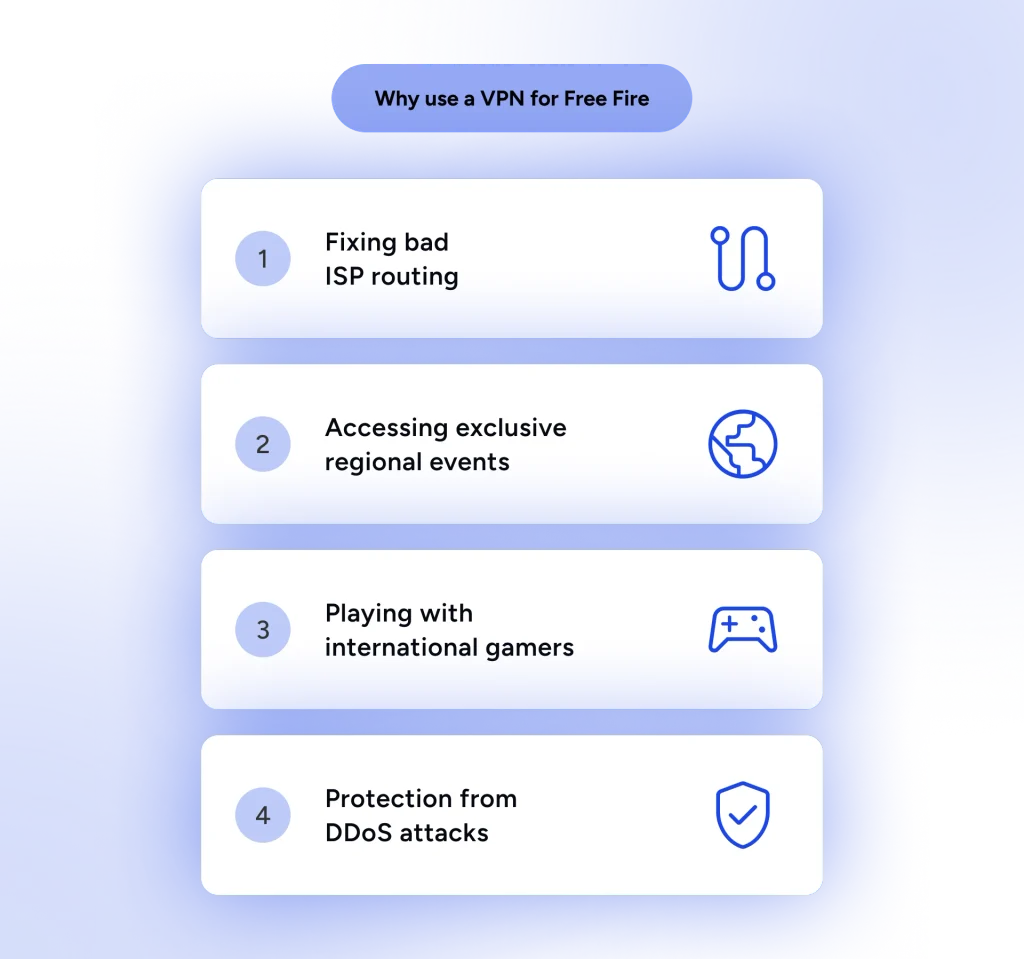
Here are the biggest reasons mobile players keep a VPN app installed right next to Free Fire on their home screens:
- Fixing Inefficient ISP Routing: Your Internet Service Provider does not always send your game data through a direct path to Garena’s servers. Sometimes, your traffic gets redirected through crowded routing nodes, triggering those frustrating 999+ red ping spikes in the middle of a gunfight. A gaming-friendly VPN can force your connection onto a cleaner, more direct path.
- Unlocking Exclusive Regional Events and Skins: Garena frequently drops regional-exclusive events, discount incubators, and redeem codes in specific markets like Brazil, Indonesia, or Latin America. Connecting to a VPN server in those countries allows skin collectors to jump in, grab unique cosmetics, and show them off back on their home servers.
- Playing with International Friends: Free Fire locks your matchmaking options to your immediate home region by default. If you have friends living on another continent, tuning into a local VPN node helps bring everyone into the same lobby.
- DDoS and Public Wi-Fi Security: Free coffee shop Wi-Fi is great for saving mobile data, but it is an absolute playground for hackers. Securing your connection inside an encrypted VPN tunnel protects your device and your hard-earned account credentials from getting snooped on.
Can a VPN Unlock Free Fire Events and Skins?
While a VPN absolutely gives you access to these geo-locked rewards, keep in mind that skins and items are permanently tied to the account they are redeemed on. You cannot buy or unlock an exclusive Gloo Wall skin on a VPN-created Indonesian account and then transfer it over to your main North American account. This makes region-hopping ideal for secondary “smurf” accounts where you just want to test out premium cosmetics without spending diamonds.
How Free Fire Region Lock Works
Free Fire doesn’t let you manually select your server region from the in-game settings. Instead, Garena assigns your account to a specific server (like North America, Brazil, Indonesia, or India) the very first time you launch the game, based on your IP address. Once your account is bound to that region, it’s permanent.
Even if you travel to another country, your original account remains locked to the server where it was created. This is exactly why simply turning on a VPN with your main account won’t suddenly teleport you to the Brazilian server to grab a rare incubator skin. To bypass the region lock, you need to turn on your VPN before creating a brand-new guest account or linking a fresh social media profile.
Free Fire Server Regions: Which VPN Location Should You Choose?
Choosing a server isn’t a guessing game; it depends entirely on what you want to achieve. If you are hunting for cosmetics, the Brazil (BR) and Indonesia (ID) servers are legendary in the community for getting the most generous events, exclusive diamond top-up rewards, and early access to rare skins.
If your goal is purely competitive gameplay with the lowest possible ping, you should connect to the VPN server closest to your physical location that also hosts a Garena server. For example, players in South Asia usually route through Singapore (SG) or India (IN) for optimal hit registration. Always remember: farther locations equal better loot events, while closer locations equal better ranked performance.
The Truth About Ping: Can a VPN Lower Free Fire Ping?
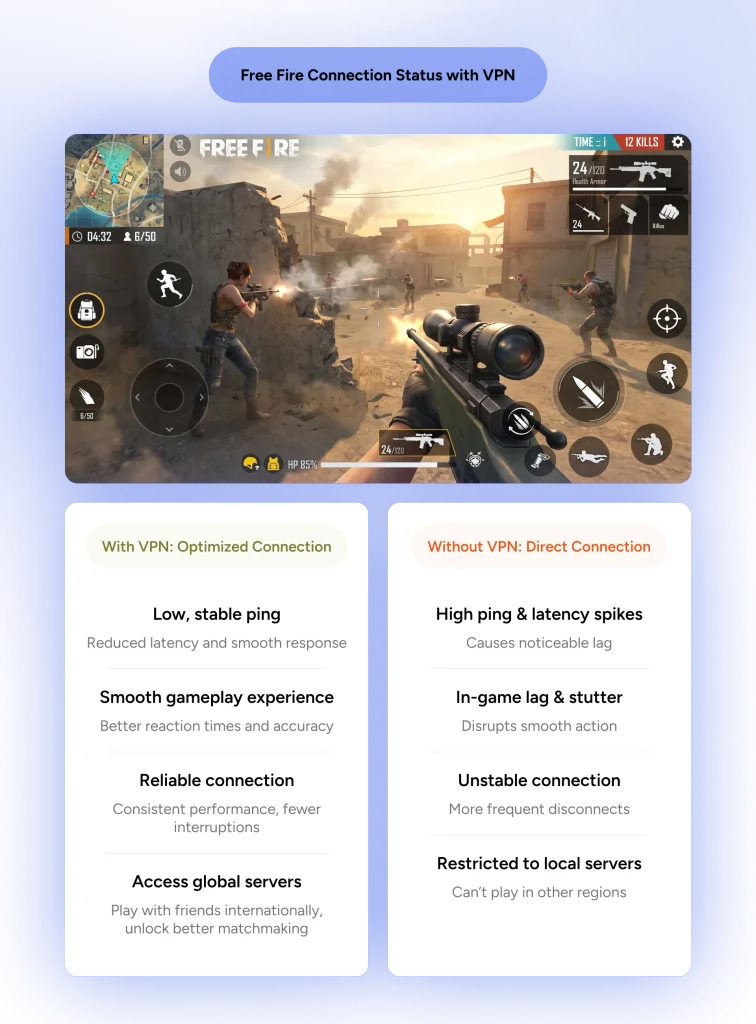
If you see an ad promising that a VPN will automatically drop your ping from 120ms down to a crisp 15ms every single time, somebody is pulling your leg. Physics is physics. When you turn on a VPN, your game traffic travels from your phone to the VPN server, and then to Garena’s servers. Because you are adding an extra middleman to the journey, latency usually goes slightly up, not down.
For curious gamers:
What Is a VPN? Simple Guide to How It Works and Why You Need One
So why do so many gamers swear by VPNs for lowering lag? Because under the right conditions, a VPN acts like an express bypass around a traffic jam.
When a VPN FAILS to Help (And Will Increase Ping)
If you are sitting in India or Europe and connect to a VPN server in Brazil just to catch a regional event, your ping will go up. Data cannot break the speed of light; crossing an ocean takes physical time. Expect 200ms+ ping when playing across continents, which is totally fine for opening event crates or claiming redeem codes, but terrible for actual ranked battle royale matches.
Quick Ping Diagnostic:
- Below 40ms: Golden tier. Flawless headshots, instant gloo walls.
- 40ms – 80ms: Smooth gameplay. Completely playable for ranked push.
- 81ms – 150ms: Noticeable delay. You might lose fast close-range shotguns duels.
- 150ms+: The danger zone. High risk of teleports, uncounted hits, and getting eliminated behind cover.
Is Your Free Fire Lag Caused by Internet or Your Phone?
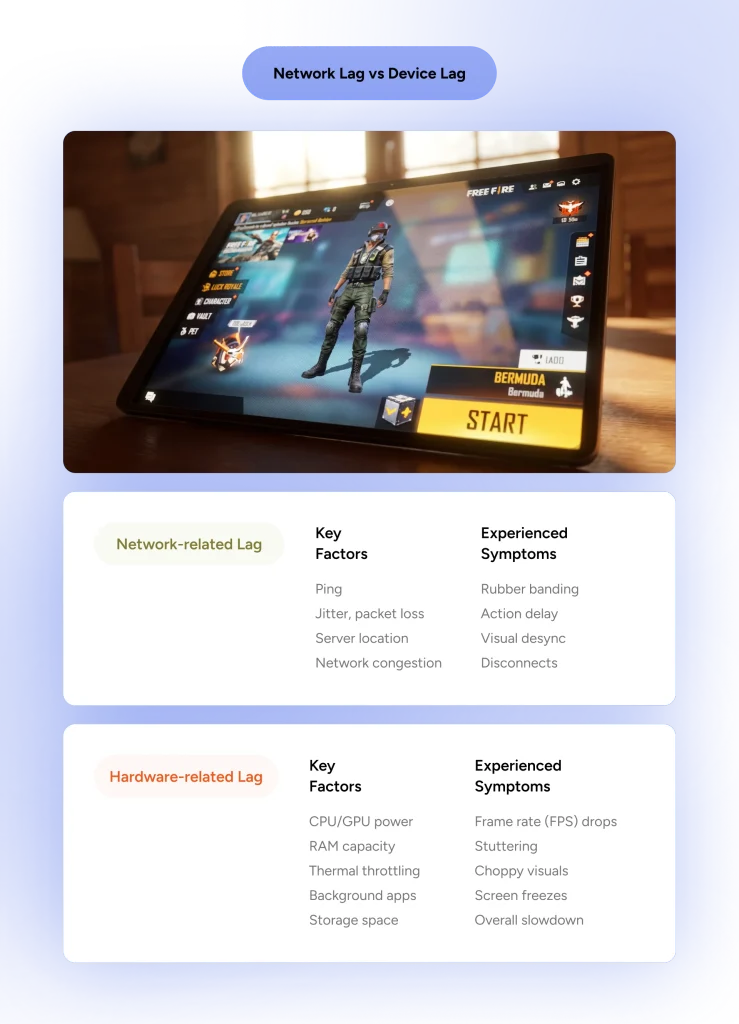
Before you blame your ISP and fire up a VPN, you need to make sure your device isn’t the actual bottleneck. Network lag (high ping) and hardware lag (low FPS) look similar but have totally different fixes.
- Internet Lag (High Ping): This is when your character rubber-bands, you get shot behind cover, or your loot takes two seconds to pick up. The ping meter in the top corner will flash red (150ms+). A VPN can help fix this by optimizing your route to the server.
- Hardware Lag (Low FPS): This is when your screen stutters, the game freezes during explosive team fights, or your phone feels like it’s melting. Your ping might say a healthy 40ms, but the game is still choppy. A VPN cannot fix this. You need to lower your in-game graphics from Ultra to Smooth, close background apps, or free up RAM.
What Makes the Ultimate Free Fire Gaming VPN?
Not every VPN app sitting on the Google Play Store or Apple App Store belongs on a mobile gamer’s phone. A lot of free services are built purely for light web browsing or streaming movies; load up an intense squad battle in Free Fire with one of those running, and you will be rubber-banding across the map faster than a speed hack.
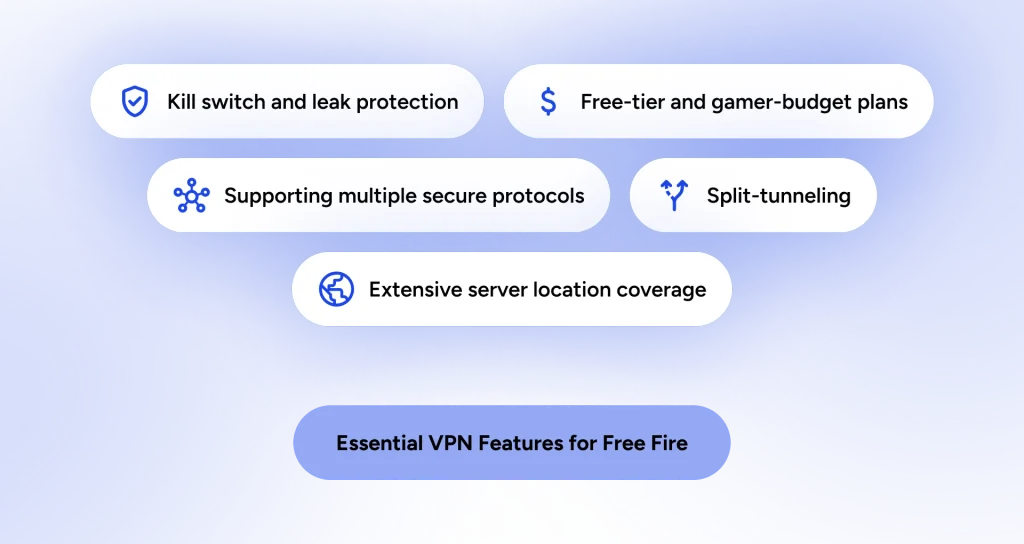
If you want a smooth, low-latency battle royale experience, here are the essential features your Free Fire VPN needs to pack under the hood:
1. Supporting the Best VPN Protocol for Free Fire
The VPN protocol dictates how your data is packaged and sent across the web. Old-school protocols like OpenVPN (TCP) add way too much encryption clutter, which slaughters your connection speeds and causes severe input lag.
You want a service offering modern, lightweight protocols such as WireGuard, Lightway, or Hydra. These process data instantly, keep battery drain low, and recover smoothly if your mobile network toggles between 4G and 5G.
When selecting your settings, always manually set your protocol rather than leaving it on “Auto” to guarantee the best gaming performance:
- WireGuard: The absolute gold standard for Free Fire. It connects instantly, uses minimal CPU, and provides the lowest ping.
- XTLS / Stealth: Perfect if you are playing on restrictive school or office Wi-Fi that actively blocks gaming traffic.
- OpenVPN (TCP): Avoid this for gaming. It’s too heavy and will cause massive input delay during fast-paced matches.
2. Proximity to Official Garena Servers
Having thousands of servers means nothing if none of them sit anywhere near Garena’s data centers. The best gaming VPNs maintain healthy server fleets in core Free Fire hubs like Singapore, Brazil, Indonesia, Thailand, India, and Mexico. The closer your VPN server is to Garena’s regional server, the shorter your packet’s travel time will be.
3. Usable Free-Tier Allowances
Let’s be real, a free VPN is useless if it shuts off after ten minutes of play or gives you a tiny 500MB monthly allowance. Game updates and resource packs alone can eat gigabytes of data. Look for providers that offer either unlimited bandwidth or generous monthly data caps (at least 10GB) that don’t cap your speeds to a crawl after a few matches.
4. Native Split Tunneling Support
Split tunneling is a massive quality-of-life feature for mobile gamers. It lets you select only Free Fire to pass through the VPN tunnel, while leaving Spotify, WhatsApp, Discord, and YouTube running directly over your regular mobile data. This saves precious VPN bandwidth, prevents unnecessary device heating, and keeps your ping as low as possible.
5. Leak Protection and Automatic Kill Switch
If your VPN connection randomly drops mid-match and your phone reverts to its native IP address, Garena’s anti-cheat engines might detect a sudden regional jump. This triggers “abnormal connection activity” security flags. A built-in Kill Switch and IP/DNS Leak Protection ensure your real location never leaks out if the VPN signal stutters for a second.
Does a VPN Drain Battery or Slow Down Your Phone in Free Fire?
Running a VPN does require extra processing power because your phone has to encrypt and decrypt your data in real time. If you are using an older smartphone, this extra workload can cause your battery to drain slightly faster and might even heat up your device during long gaming sessions.
To prevent your phone from thermal throttling and dropping frames, stick to lightweight protocols like WireGuard and use Split Tunneling. By forcing only Free Fire through the VPN tunnel and leaving your other background apps (like WhatsApp or Spotify) on your regular network, you drastically reduce the strain on your phone’s processor and save your battery life.
How to Set Up a VPN for Free Fire
Getting your connection battle-ready only takes a couple of minutes. Here is how to do it right:
- Download and Install: Grab one of the recommended gaming VPNs (like HidzoVPN) from your official App Store.
- Enable Split Tunneling (Optional but Recommended): Go into the VPN settings and select Free Fire as the only app that uses the VPN connection.
- Choose Your Protocol: Head to settings and lock your protocol to WireGuard or an equivalent lightweight option.
- Select Your Server: Pick a server closest to you for ranked matches (to lower ping), or pick a specific foreign server (like Brazil) if you are setting up a new account for events.
- Connect and Launch: Wait for the “Connected” status, minimize the VPN, and boot up Free Fire.
How to Test a VPN for Free Fire?
Don’t jump straight into a ranked Clash Squad match with a newly installed VPN. That is a guaranteed way to lose rank if the connection route is unstable. Instead, head straight into the Training Grounds.
Pay close attention to your ping counter in the top left corner. You want it to be stable, without wild jumps between 50ms and 300ms. Grab a fast-firing weapon like an MP40 and shoot at the target dummies; the damage numbers should pop up instantly.
Next, try deploying a Gloo Wall. If there is a noticeable delay between pressing the button and the wall appearing, simply minimize the game, switch to a slightly different server location in your VPN app, and try again before playing for real.
Is Using a VPN Safe for Free Fire? (How to Avoid Getting Banned)
This is the number one question on every Free Fire player’s mind: Will Garena ban my account if I turn on a VPN?
The short answer is no; simply using a VPN is not against Garena’s rules. Garena knows that millions of gamers face terrible ISP routing, unstable mobile networks, or aggressive Wi-Fi blocks, so using a VPN to secure or stabilize your connection won’t get you banned automatically.
However, Garena’s automated anti-cheat systems are notoriously strict. If your account triggers security red flags, you risk getting hit with the dreaded “There are abnormal activities with your account” suspension pop-up.
Why Players Actually Get Banned While Using a VPN
- Server Hopping While the Game is Running: If you launch Free Fire while connected to a server in India, alt-tab out, switch your VPN to Brazil, and jump back into the lobby, Garena’s system sees your account teleport across the globe in two seconds. That rapid IP jump looks identical to account sharing or hacking.
- Using Dirty or Shared IP Addresses: Cheap or shady free VPNs cram thousands of users onto the exact same server IP. If a real cheater gets banned while using that shared VPN address, Garena might blacklist the IP, causing innocent players who hop on that same node afterward to get flagged by association.
- Cross-Region Payment Exploits: Trying to buy Diamonds through a different country’s Google Play or App Store billing system while disguised by a VPN can trigger immediate fraud detection flags on both Garena and store platform levels.
- Modded Apps and Suspicious Plugins: VPN apps that require “root” access or inject unauthorized code into your operating system can be misidentified as game scripts or aimbots.
The Golden Rules: How to Keep Your Account 100% Safe
- Connect Before You Launch: Always open your VPN, select your server, and confirm the connection is secure before tapping the Free Fire icon.
- Never Switch Servers Mid-Session: If you want to change your VPN region, close Free Fire completely from your recent apps screen, change the VPN location, wait 30 seconds, and then reopen the game.
- Turn Off the VPN for In-App Purchases: When buying Diamonds, membership passes, or incubator spins, disconnect from the VPN to match your local Play Store or App Store billing region.
- Stick to Trusted VPNs: Avoid obscure “unlimited free VPN” apps from sketchy third-party sites that require downloading modded APKs. Stick to established providers with clean server reputations.
Common Free Fire VPN Issues & How to Fix Them
Even with the best gaming VPN installed, mobile connections love to throw random curveballs. One minute you are dropping headshots, and the next you are staring at a frozen screen or a red 999+ ping counter.
1. Ping Is Stuck at 999+ or Skyrocketing
- The Cause: You are connected to a server that is geographically too far away, or your VPN is using a heavy, sluggish connection protocol.
- The Fix: Disconnect from the VPN, select a server closer to your physical location, and switch your app’s protocol to WireGuard or UDP in the settings. WireGuard strips away heavy data bloat and gives you the fastest packet transfer speeds for mobile gaming.
2. “Network Connection Error” or stuck on the Login Screen
- The Cause: Garena’s login servers detected a blocked IP address or an unstable network handshake during authentication.
- The Fix: Clear the Free Fire app cache (go to Settings > Apps > Free Fire > Storage > Clear Cache). Next, switch your VPN protocol to a Stealth or Obfuscated mode, which disguises your VPN data as regular HTTPS web traffic to bypass firewall inspection.
3. The VPN Disconnects Mid-Match
- The Cause: Your phone’s aggressive battery-saver mode killed the VPN process in the background to save juice.
- The Fix: Go to your device’s battery settings, find your VPN app, and switch its power management profile from Optimized to Unrestricted or Don’t Optimize. This keeps your VPN tunnel active even during long, intense gaming sessions.
4. High Latency Only After Game Updates
- The Cause: Free Fire pushed a background update or downloadable resource pack, which is saturating your VPN bandwidth.
- The Fix: Pause all background downloads inside the Free Fire lobby. Download big map packs and weapon skin files directly over your home Wi-Fi with the VPN switched off, then turn the VPN back on before jumping into ranked queues.
Conclusion: Take Control of Your Free Fire Connections
At the end of the day, a high-ping match or a blocked Wi-Fi network should never keep you from enjoying Free Fire or clutching up for your squad. While a VPN isn’t a magical cure-all for every internet problem, picking the right free provider gives you the exact edge you need to bypass bad ISP routing, play on restricted networks, and grab exclusive regional rewards without spending a dime.
To quickly recap your best free options:
- Proton VPN: Best for unlimited, non-stop gaming sessions with zero data caps or ads.
- Windscribe: Best for hopping regions to unlock exclusive international events and cosmetics.
- X-VPN: Best for effortless, single-tap connections to bypass strict school or work Wi-Fi.
- HidzoVPN: Best for battery-friendly, low-latency stability with fast reconnect times.
- UrbanVPN: Best for accessing niche, global server locations to collect rare redeem codes.
Test out a couple of these free tools during your next gaming session, tweak your protocol settings to WireGuard or UDP, and keep your ping green when it matters most!
FAQs
It depends on your goal. Brazil and Indonesia are the best country servers for events, rare skins, and value. For competitive ranked play, the best server is always the one physically closest to your location (such as Singapore for South Asia).
For collecting cosmetics and redeem codes, Brazil is the top location worldwide. For smooth gameplay with minimal lag, choose a VPN location closest to your real-world location.
The Brazil and India servers are widely recognized as having the hardest lobbies. Players in these regions are fast, highly competitive, and push the skill ceiling—even in lower ranks.
Yes, using a VPN to lower lag or play on different servers is generally allowed. However, using a VPN alongside third-party hacks, mod menus, or rapidly switching server IPs mid-match can flag Garena’s anti-cheat systems and result in an account ban.
Download a trusted gaming VPN, set the protocol to WireGuard, connect to your chosen server location, and then launch Free Fire. To save battery and prevent lag, enable Split Tunneling so only Free Fire routes through the VPN.
While no server gives away diamonds completely free, Brazil and Indonesia frequently run the best top-up bonus events, heavily discounted Incubators, and exclusive event codes that yield the most rewards for minimal effort.
Connect your VPN to a nearby server like Singapore, Bangladesh, or Europe, clear Free Fire’s app cache, and launch the game. Keep the VPN connected while logging in to bypass network restrictions smoothly. You can also play Free Fire MAX, which remains accessible.
Article by
-
 Sam Clarke
Sam is a cybersecurity and online privacy writer dedicated to making complex network protection accessible, practical, and engaging.

Share your thoughts
Add a comment