Best Browsers for Online Privacy (Tested & Ranked)
Opening a “private” tab and assuming you’ve gone invisible is one of the most common misunderstandings on the internet, and it’s costing people more data…

Protect your online privacy and security
Fast, private, and easy to use, get Hidzo on your device and browse freely with one tap.
Get HidzoVPNTable of Contents
Opening a “private” tab and assuming you’ve gone invisible is one of the most common misunderstandings on the internet, and it’s costing people more data than they realize. Your browser sees everything you type, click, and load, which makes it either your strongest privacy tool or your biggest leak, depending entirely on which one you’re using.
If you just want the short version: Firefox and Brave are the best browsers for online privacy for most people, Tor Browser is the most private browser when anonymity actually matters, and DuckDuckGo’s browser is a fine lightweight option on mobile.
The rest of this guide breaks down why, plus which one fits your specific setup, whether that’s Windows, Mac, Android, or iPhone.
What Makes a Browser Private
Every browser claims to protect you. Almost none of them agree on what “protect” means, so it helps to know the actual criteria before comparing options.
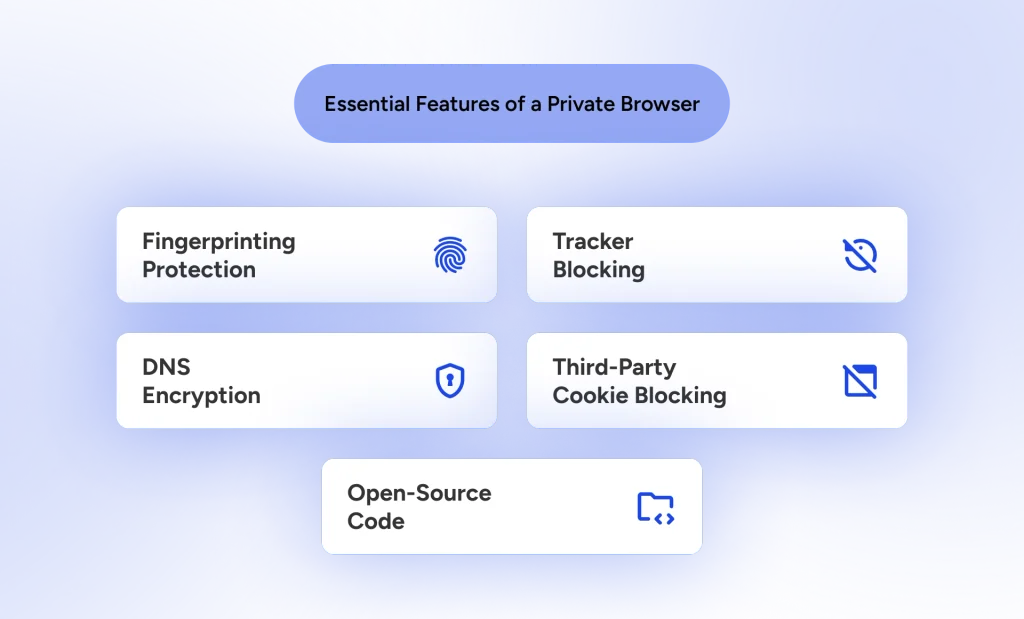
- Tracker blocking by default. Browsers that block trackers out of the box, without you installing an extension, stop advertisers and data brokers from building a profile of you as you move between sites.
- Fingerprinting protection. Even with cookies disabled, sites can identify you by your screen size, fonts, GPU, and battery level combined into a unique signature. Browsers with fingerprinting protection either randomize these values or make everyone look identical.
- Third-party cookie blocking. Browsers that block third-party cookies stop the cross-site tracking that lets an ad network follow you from a shopping site to a news site to your inbox.
- Encrypted DNS. Without DNS-over-HTTPS, your internet provider can see every domain you visit even if the page itself is encrypted.
- Open-source code and low telemetry. A browser you can’t audit is a browser you’re trusting blindly. The best secure browser options publish their code and collect as little usage data as possible.
Keep this list in mind, because it’s what separates a genuinely private browser from one that just has a nice privacy page on its website.
Incognito Doesn’t Mean Private
This one trips up more people than anything else on this list. Private or incognito windows stop your browser from saving your history, cookies, and form data locally, which is useful if you share a laptop. That’s the entire feature.
Your internet provider, your employer’s network, and any website you visit can still see exactly what you’re doing. Incognito mode doesn’t hide your IP address, doesn’t block trackers, and doesn’t stop fingerprinting.
What Are the Best Privacy Browsers?
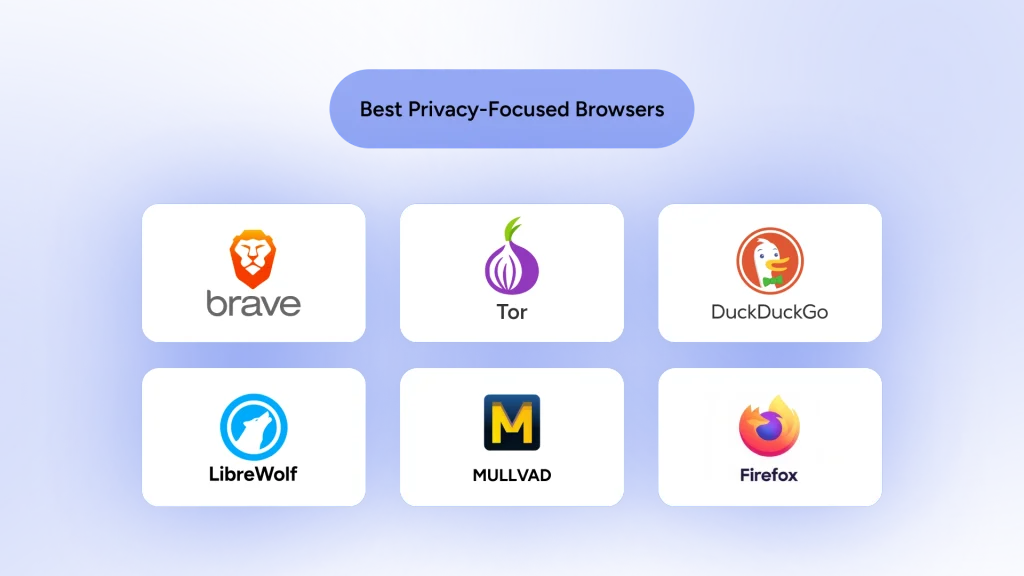
Finding a pick among popular privacy browsers that actually keeps its promises can feel like navigating a minefield. Marketing teams love throwing around buzzwords, but only a handful of tools actively ship updates that block modern tracking methods. Here’s a quick pick at most private browsers before we get to each one in detail.
| Browser | Rendering Engine | Fingerprint Defenses | Default Tracker Blocking | Telemetry Disabled? | Best Use Case |
| Brave | Chromium | Randomization | Advanced Shields | Yes | Daily driving and speed |
| Tor Browser | Gecko | Uniform (Tor-level) | Extreme (NoScript) | Yes | Anonymity and bypass censorship |
| DuckDuckGo | System Engine (Blink/WebKit) | Basic | Built-in Protection | Yes | Lightweight browsing and quick data wipes |
| LibreWolf | Gecko | Uniform (RFP) | Strict (uBlock Origin) | Yes | Out-of-the-box hardened privacy |
| Mullvad | Gecko | Uniform (Tor-level) | Strict (uBlock Origin) | Yes | Multi-tab browsing without VPN leaks |
| Firefox | Gecko | Moderate | Strict ETP | Needs Manual Disabling | Custom setups and open web support |
1. Brave
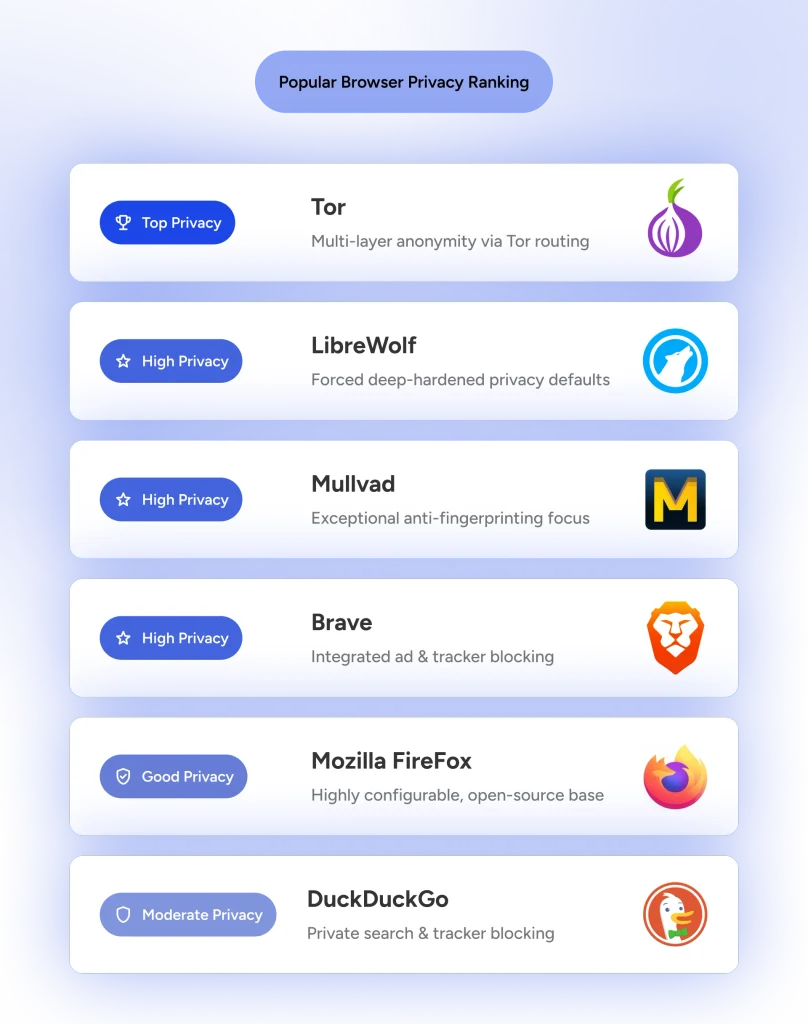
Brave blocks ads, trackers, and third-party cookies automatically through its Shields system, and it randomizes your fingerprint on every domain, so trackers see different data each time you visit. Because it runs on Chromium, switching from Chrome feels nearly seamless, and it still supports the full Chrome extension library.
Independent tests have repeatedly flagged Brave as the only mainstream browser that returns a fully randomized fingerprint on EFF’s Cover Your Tracks tool. The catch is that the standard build ships with crypto rewards and an AI assistant that some privacy-focused users find unnecessary; Brave now offers a stripped-down build called Brave Origin without any of that, for anyone who wants the tracking protection minus the extras.
- Key Features: Brave Shields, HTTPS upgrades, and built-in fingerprint randomization.
- Pros: Fast load times, excellent site compatibility, and strong default settings.
- Cons: Crypto wallet integrations and sponsored news feeds require manual toggling to turn off.
2. Tor Browser
Tor routes your traffic through three encrypted relays run by volunteers around the world, so no single point in the chain knows both who you are and what you’re visiting. It’s the best anonymous browser available for genuinely sensitive research, journalism, or getting around censorship. The tradeoff is speed and compatibility; plenty of sites load slowly or break outright under Tor’s restrictions.
- Key Features: Triple-hop onion routing, integrated NoScript, and standardized canvas sizing.
- Pros: Unmatched location masking and total resistance to network tracking.
- Cons: Noticeably slower loading speeds; many banking sites and streaming services block its traffic.
3. DuckDuckGo Browser
DuckDuckGo’s browser blocks trackers and ads without asking you to configure anything, and its Fire Button clears every open tab with a single tap.
It’s worth mentioning that DuckDuckGo lacks the fingerprinting protection that Brave and Firefox offer, and a 2022 audit found it made an exception for certain Microsoft ad-tracking scripts, which dented its reputation among privacy purists. It’s still a solid, low-effort choice for casual browsing.
- Key Features: One-click Fire Button data wipes, Duck Player, and automatic cookie pop-up blocking.
- Pros: Clean user interface, minimal system impact, and seamless built-in privacy search.
- Cons: Lacks traditional browser extension support and deep advanced settings for power users.
4. LibreWolf
For users who prefer the Gecko rendering engine over Chromium, LibreWolf represents a hardened, community-driven version of Firefox. It removes every piece of telemetry and background ping present in the original code.
LibreWolf excels as one of the best browsers that block trackers because uBlock Origin comes pre-installed in the software core. It also forces strict cookie isolation and clears your session data when closed.
- Key Features: Zero telemetry, pre-configured uBlock Origin, and active ResistFingerprinting settings.
- Pros: Privacy defaults out of the box without touching advanced configuration pages.
- Cons: Strict cookie cleanup can log you out of websites every time you close the app.
5. Mullvad Browser
Developed in collaboration between the Tor Project and Mullvad VPN, this tool delivers high-level anonymity for standard web traffic. It brings advanced anti-tracking techniques to everyday users without routing traffic through the slow Tor network.
Mullvad belongs to the elite group of browsers that assign identical digital signatures to every single user. When data harvesters try to build a profile on your computer, you simply look like a face in an identical crowd.
- Key Features: Standardized browser footprint, complete telemetry removal, and zero cloud sync.
- Pros: Top-tier fingerprint defense combined with high browsing speeds.
- Cons: No persistent browsing history by design, requiring manual bookmark management.
6. Mozilla Firefox
Firefox is the most configurable browser for privacy on the market, and it’s one of the few mainstream options that isn’t built on Google’s Chromium engine. Enhanced Tracking Protection blocks cross-site trackers, cryptominers, and known fingerprinters by default, while Total Cookie Protection isolates cookies per site so one tracker can’t follow you everywhere.
- Key Features: Modular container tabs, customized configuration files, and DNS-over-HTTPS.
- Pros: Highly customizable and backed by a non-profit organization supporting open web standards.
- Cons: Default configuration requires manual adjustments to turn off telemetry and sponsored shortcuts.
Head-to-Head: How the Top Picks Actually Compare
When users narrow down their options, a few major showdowns frequently pop up in privacy forums. Here is how the leading contenders stack up against each other.
Firefox vs Brave Privacy
The debate over Brave vs Firefox for privacy comes down to defaults versus customization. Brave offers stronger out-of-the-box protection, blocking ads and fingerprinting without forcing you to tweak settings menus.
Firefox requires a bit of manual tuning to disable background analytics and enable strict cookie isolation. However, Firefox runs on an independent engine, making it a better choice for users who want to avoid Chromium dominance.
Tor vs Brave Privacy
Comparing Tor vs Brave privacy is like comparing an armored vault to a high-speed sports car. Brave shields you from commercial ad networks and trackers while maintaining fast download speeds for daily streaming.
Tor Browser routes your connection through encrypted global relays to mask your network location entirely. Brave protects your local activity, but Tor keeps you anonymous from network-level snooping.
On a related note:
VPN vs. Tor: Which Is Better for Privacy, Security, and Speed?
Tor Browser vs Firefox
While both browsers share the same foundational engine, Tor Browser and Firefox serve two entirely different goals. Firefox is built for general daily tasks, offering fast speeds and extension support.
Tor Browser sacrifices speed and site compatibility to achieve maximum anonymity. It isolates every single site session and prevents network operators from seeing what you read online.
DuckDuckGo Browser vs Brave
Comparing DuckDuckGo Browser vs Brave reveals a split between simple convenience and heavy protection. DuckDuckGo provides a simple interface with lightweight tracking protection and quick history wipes.
Brave delivers a far more comprehensive security suite with custom script blocking and fingerprint randomization. DuckDuckGo works well for quick casual searches, but Brave is better suited for full daily browsing.
What Are Chrome Alternatives for Privacy?
If you’re switching away from Chrome, the easiest paths are Brave, since it keeps your existing extensions and bookmarks imported cleanly, or Firefox, if you’d rather move off the Chromium engine entirely.
One thing worth knowing is that Chrome’s Manifest V3 update has restricted how much extensions like ad blockers can actually see and block, which is a big part of why Chrome has quietly become less private for anyone relying on third-party tools to fill the gaps.
The Browser Is Only Half the Picture
A privacy-friendly browser stops trackers and scripts from profiling you, but it does nothing about the connection carrying your traffic in the first place. That’s the layer a VPN covers. Pairing a privacy browser with a VPN app encrypts your traffic at the network level and hides your IP address from your provider and anyone else watching the connection, closing the gap that even the best browser can’t touch on its own.
HidzoVPN builds this in with a lightweight client, available on mobile and desktop, that keeps your real IP from leaking if the connection drops. Downloading a solid VPN app alongside your browser choice is a fast way to cover both ends of the privacy equation at once.

Best Privacy Browser by Platform
The listed browsers are available both on desktop and mobile, but some nuances make each better for a certain platform.
- Windows: Firefox and Brave both perform well, and either one paired with a hardened settings profile covers most threats a typical Windows user faces.
- Mac: Brave and Firefox remain solid picks, and Safari has genuinely improved its Intelligent Tracking Prevention, though it still falls short of dedicated privacy browsers on fingerprinting resistance.
- Android: Firefox for Android is the only major mobile browser that supports the full uBlock Origin extension, giving it an edge for anyone who wants granular control. Brave and DuckDuckGo are both strong no-configuration alternatives.
- iPhone/iPad: Apple requires every browser on iOS, including Brave, Firefox, and DuckDuckGo, to run on Apple’s own WebKit engine under the hood. That means the fingerprinting resistance and tracker-blocking tech those browsers use on desktop doesn’t transfer over fully to iPhone.
Brave and Firefox Focus are still your best privacy browser options for iPhone, but temper your expectations against what the same apps do on desktop.
Final Verdict: Choosing Your Privacy Stack
Securing your online footprint does not mean finding a single perfect tool that does everything. The smartest strategy relies on matching the right software to your specific needs.
Use an easy, high-speed option like Brave or hardened Firefox for routine tasks, and fire up Tor or Mullvad Browser when you need total anonymity, and pair your browser with a solid VPN to add security to your private browsing.
Changing your default browser takes just two minutes, but it pays immediate dividends for your digital independence.
FAQs
Tor Browser offers the strongest anonymity because it routes traffic through multiple encrypted relays, but Brave and Firefox are more practical choices for daily browsing while still blocking trackers and fingerprinting by default.
Brave’s tracking protection is independently verified and genuinely strong, though its standard build includes crypto and AI features some users don’t want. Brave Origin removes those extras if that’s your concern.
Yes. Enhanced Tracking Protection and Total Cookie Protection are both on by default, which already puts Firefox ahead of Chrome or Edge out of the box.
It’s safe from a legal and security standpoint, but it’s slower than mainstream browsers and some sites block Tor exit nodes, so it’s better reserved for sessions where anonymity genuinely matters.
Mostly, yes, for tracker and ad blocking. It lacks the fingerprinting protection that Brave and Firefox include, so it’s a better fit for casual browsing than for anyone trying to minimize their digital footprint completely.
Firefox, Brave, and Tor Browser all block third-party cookies by default. DuckDuckGo blocks most tracking cookies as well, though its overall tracker detection is less thorough than Brave’s.
No. A browser can stop tracking scripts and fingerprinting, but it can’t hide your IP address or encrypt your traffic at the network level. Those two tools solve different problems and work best together.
Article by
-
 Sam Clarke
Sam is a cybersecurity and online privacy writer dedicated to making complex network protection accessible, practical, and engaging.





Share your thoughts
Add a comment