VPN for Multiple Devices: Simultaneous Connections with One Account
Between your phone, laptop, tablet, and smart TV, your daily routine likely spans an ever-growing network of connected gadgets. While securing your primary device is…
Protect your online privacy and security
Fast, private, and easy to use, get Hidzo on your device and browse freely with one tap.
Get HidzoVPNTable of Contents
Between your phone, laptop, tablet, and smart TV, your daily routine likely spans an ever-growing network of connected gadgets. While securing your primary device is a great first step, leaving the rest of your hardware unprotected creates unnecessary gaps in your overall digital security.
That is where a multi-device VPN comes in. Rather than managing separate subscriptions or leaving secondary screens exposed, choosing the best VPN for multiple devices allows you to use one VPN account on multiple devices simultaneously. It provides seamless, comprehensive protection across your entire ecosystem under a single plan.
What Is a VPN for Multiple Devices?
A VPN for multiple devices lets you use one VPN account to protect several supported devices, such as your phone, laptop, or tablet. Instead of purchasing and managing a separate VPN subscription for each device, you can install the VPN on multiple devices and manage them under the same account.
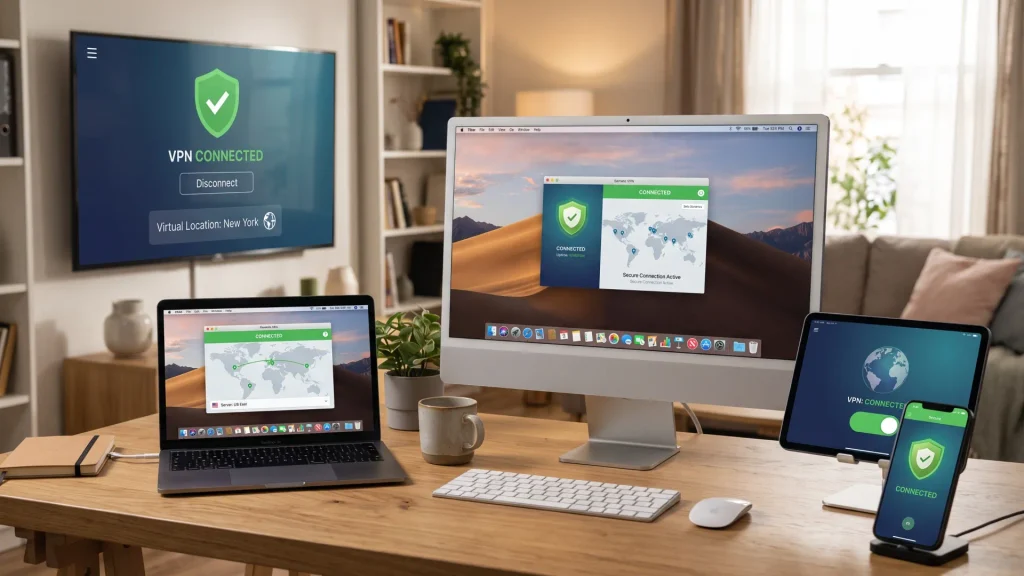
The important number to watch is simultaneous connections, or how many of those devices can actually connect to the VPN at the same time. The limit varies by provider, so if you’re shopping for a multi-device VPN, make sure the number of simultaneous connections fits the devices you use every day.
5 Popular VPNs for Multiple Devices
Now that you know what to look for in a multi-device VPN, let’s see how some popular providers measure up. Connection limits can vary quite a bit, from five simultaneous devices to unlimited connections, and the biggest number isn’t necessarily the best fit.
To help you make an informed choice, here is a breakdown of five top-tier providers across different connection limits, protocol standards, and pricing models:
| VPN Provider | Simultaneous Connections | Best For | Supported Platforms |
|---|---|---|---|
| Surfshark | Unlimited | Large households & multi-screen power users | Windows, macOS, Linux, Android, iOS, Smart TVs |
| NordVPN | Up to 10 | Advanced security tools & personal device networking | Windows, macOS, Linux, Android, iOS, Smart TVs |
| Proton VPN | Up to 10 | Open-source security & multi-hop privacy | Windows, macOS, Linux, Android, iOS, Routers |
| HidzoVPN | Up to 5 | Everyday privacy, stealth protocols & high value | Android, iOS, Windows, macOS |
| Mullvad VPN | Up to 5 | No-contract flat pricing & maximum anonymity | Windows, macOS, Linux, Android, iOS |
1. Surfshark: Unlimited Connections for Large Households
Surfshark is a strong contender when shopping for a VPN for many devices, as it completely eliminates connection limits on a single account.
- Best For: Families, tech enthusiasts, or shared living spaces with dozens of connected gadgets.
- Connection Capacity: Unlimited simultaneous connections.
- Why It Stands Out: Surfshark allows you to install VPN on multiple devices across your entire household without tracking active slots. It includes CleanWeb for ad blocking and split tunneling for granular application control.
- Price & Value: Long-term subscriptions start around $2.49/month, though short-term month-to-month plans run significantly higher at $15.45/month.
2. NordVPN: Feature-Rich Security & Device Networking
NordVPN delivers a complete security ecosystem designed for users managing multiple primary and secondary screens.
- Best For: Users seeking advanced threat protection alongside seamless cross-device communication.
- Connection Capacity: Up to 10 simultaneous connections.
- Why It Stands Out: Beyond standard encryption via its custom NordLynx protocol, NordVPN offers Meshnet. This feature allows you to link your VPN for phone and laptop directly into a private encrypted network, enabling remote file access and secure traffic routing through your home computer while traveling.
- Price & Value: 2-year plans begin around $3.09/month, while standard month-to-month access costs $12.99/month.
3. Proton VPN: Swiss Jurisdiction & Open-Source Transparency
Proton VPN is a Swiss-based provider engineered for high-privacy users who want verified, open-source security across their devices.
- Best For: Privacy purists requiring strict data jurisdiction and multi-hop routing.
- Connection Capacity: Up to 10 simultaneous connections.
- Why It Stands Out: Proton VPN operates under Swiss privacy laws and publishes open-source code for all its client apps. Its Secure Core architecture routes multi-device traffic through privacy-hardened servers in Switzerland, Iceland, and Sweden before reaching its destination.
- Price & Value: Multi-year plans start at approximately $4.99/month, with monthly billing set at $9.99/month.
4. HidzoVPN Premium: High-Value Privacy & Stealth Performance
If you want an affordable VPN for multiple devices that balances cutting-edge stealth protocols with effortless everyday protection, HidzoVPN is engineered specifically for that sweet spot.
- Best For: Privacy-focused individuals and small households looking to protect their essential devices without paying for bloated connection limits or complex configuration.
- Connection Capacity: Up to 5 simultaneous connections under a single account.
- Why It Stands Out: HidzoVPN uses modern, lightweight Xray protocol technology (including XTLS Reality routing). This ensures your connection bypasses restrictive network throttling and censors smoothly without draining battery life on mobile hardware. It delivers full cross-platform privacy, robust DNS leak protection, an automatic kill switch, and zero tracking logs, all inside a clean, single-tap interface.
- Price & Value: At a straightforward $2.99/month, HidzoVPN offers premium multi-device encryption at a fraction of standard monthly VPN costs.

5. Mullvad VPN: Flat-Rate Simplicity & Anonymity
Mullvad VPN takes a uniquely minimalist approach to multi-device coverage and pricing.
- Best For: Users who prefer pay-as-you-go anonymity over long-term auto-renewing subscriptions.
- Connection Capacity: Up to 5 simultaneous connections.
- Why It Stands Out: Mullvad does not ask for an email address or personal details to create an account; it simply generates a unique account number. It delivers fast WireGuard speeds and consistent privacy across desktop and mobile screens without sales gimmicks.
- Price & Value: Fixed rate of €5/month (~$5.50 USD), whether you purchase 30 days or a full year.
Which Multi-Device VPN Should You Choose?
When evaluating a VPN subscription for multiple devices, look closely at your personal habits:
- If you need to cover a large family or dozens of screens on smart TVs and laptops, Surfshark provides maximum capacity.
- If you want a zero-hassle, budget-friendly solution that combines advanced stealth routing with simple 5-device protection, HidzoVPN delivers exceptional value without lock-in bloat.
- If you require specialized tools like cross-device mesh networks or Swiss multi-hop routing, NordVPN or Proton VPN are strong fits.
Why Use One VPN for Multiple Devices?
Between phones, laptops, tablets, and other supported devices, it doesn’t take long for your devices to get disorganized. Using one VPN across multiple devices can help keep protection simpler and potentially more affordable.
- Fewer subscriptions: Why pay for and manage separate VPN subscriptions if one account can cover the devices you need? A multi-device VPN can mean fewer payments, logins, and company policies to keep track of.
- Easier management: Keeping your supported devices under one VPN account makes it easier to manage your VPN protection without juggling separate services for every device.
- Consistent privacy protection: Your phone isn’t the only device carrying personal information. Using the same VPN across supported devices lets you extend VPN protection to your laptop, tablet, and other devices you use throughout the day.
- More flexibility: A multi-device VPN can be especially useful if you have a work phone and personal phone, switch between mobile devices and a laptop, or have several devices in your household that need VPN protection.
When comparing VPNs for multiple devices, consider which of these benefits matter most to you and how many devices you actually need to protect.
What to Look for in the Best VPN for Multiple Devices
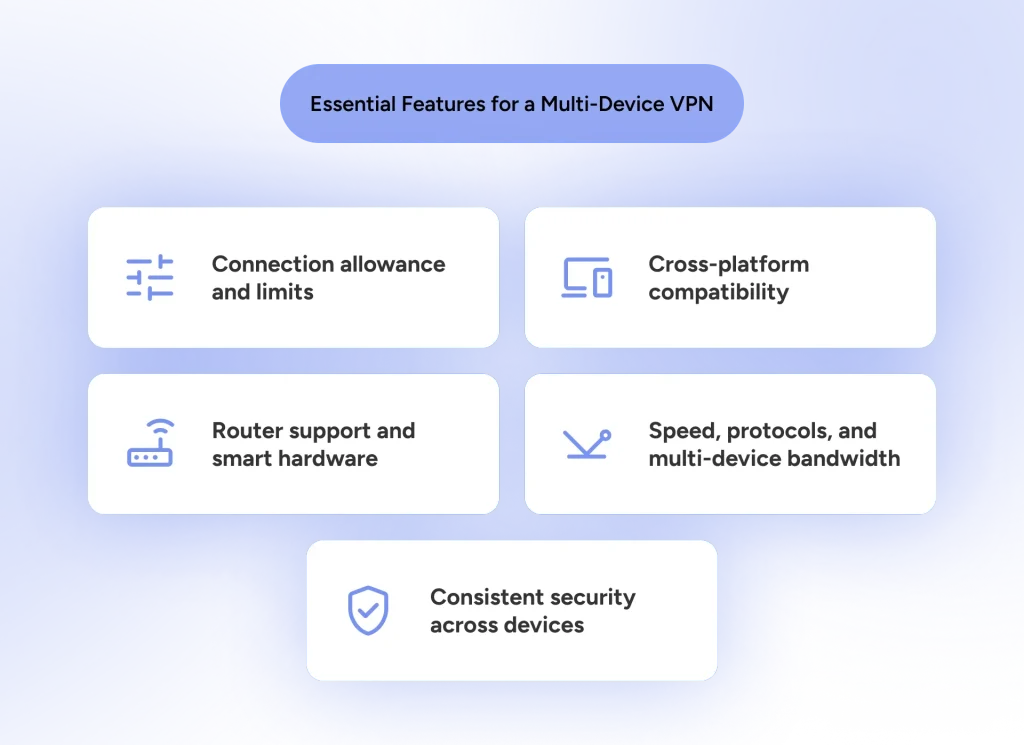
Not every multi-device service is built equal. When evaluating the best VPN for multiple devices, you should look beyond high-level numbers to ensure the service genuinely simplifies security across every screen. Here are the core criteria to evaluate:
- Connection Allowance & Limits: Check both how many app installations are allowed and how many active connections you can run simultaneously.
- Pro tip: Audit your daily routine first. For most individuals and small households, support for around five simultaneous connections provides plenty of flexibility without paying extra for unneeded capacity.
- Cross-Platform Compatibility: Ensure the VPN offers clean, dedicated apps across all operating systems, whether you need a VPN for phone and laptop or cross-platform support for Android and iOS.
- Router Support and Smart Hardware: If you want a VPN for all devices, including streaming boxes, consoles, or smart home gadgets that lack native app support, router setup capability is a game-changer.
- Pro tip: Configuring a VPN for smart TVs and devices directly on your Wi-Fi router protects your entire household network automatically while occupying only a single connection slot.
- Speed, Protocols, and Multi-Device Bandwidth: Running a VPN for many devices simultaneously places greater demand on network infrastructure. Modern, lightweight protocols (such as Xray) maintain low latency and fast throughput even when multiple screens are streaming or downloading at once.
- Consistent Security Across Devices: Ensure essential privacy features, such as a VPN kill switch, DNS leak protection, and a strict no-logs policy, are fully supported across mobile apps, not just desktop clients.
- Price vs. Real Value: Compare subscription costs against the connection allowance, protocol quality, and privacy standards provided.
The ideal multi-device VPN balances adequate connection limits, broad platform compatibility, strong privacy features, and stable multi-screen performance under a single, transparent plan.
How Many VPN Connections Do You Need?
Five, 10, unlimited? Before the numbers start sounding like a game of The Price Is Right, take a quick inventory of the devices you actually use.
First, make sure you know which number you’re counting. A device limit refers to how many devices you can have registered or associated with your VPN account, while a simultaneous connection limit tells you how many can actively use the VPN at the same time. For example, a VPN might allow the app on 10 devices but only let five connect at once.
Once you know the connection limit, count the phones, laptops, tablets, and other supported devices you may want connected at the same time. Then give yourself a little room to grow. You don’t necessarily need an unlimited plan just because it’s available, but you also don’t want to play musical chairs with your VPN connections every time you add a new device.
Here are a couple of ways those connections might look in real life:
The Simple Setup
Maybe your digital life is pretty straightforward: one phone, one laptop, and one tablet. That’s only three devices, so a five-connection plan gives you everything you need with a couple of spots left over.
If that’s your setup, paying more just to get 10 or unlimited connections may not offer much additional value if you don’t need the other features that come with the plan.
The Device Collector
Your old tablet still works, your backup phone lives in a drawer, and somehow you’ve accumulated three laptops. If you’re the type who never quite says goodbye to a working device, a higher connection limit can save you from constantly swapping devices on and off your VPN.
The Family Plan
Your kids may compete for your attention, but your devices shouldn’t have to. Why not protect them all with one multi-device VPN subscription?
Five VPN connections may be plenty for a family of two, while a larger family may need 10 or more. Consider how many devices your household actually uses and pay for the level of protection you need, rather than extra connections you may never use.
The goal isn’t to collect VPN connections just because they’re available. It’s to have enough for the devices you actually use, with a little breathing room for the next device that somehow finds its way into your collection.
Continue reading:
Family VPN Guide: High-Device Protection Without Breaking the Bank
Final Words
Securing every phone, laptop, tablet, and smart TV in your household does not require managing multiple subscriptions or overpaying for inflated device limits.
While connection counts are an important starting point when choosing a VPN for all devices, the overall user experience ultimately comes down to performance, platform support, lightweight protocols, and transparent pricing. Selecting the best VPN for multiple devices means choosing a provider that seamlessly protects your daily workflow without compromising connection speeds or requiring complicated setups.
Before committing to a plan, evaluate how many devices you actually need online at once, test cross-platform app compatibility, and ensure the service supports the privacy controls you need. With the right provider, protecting your entire digital footprint requires just one account and a single click.
FAQs
Using a VPN can affect internet speed, but simply having multiple devices on one VPN account doesn’t automatically mean every device will become slower. Performance can also depend on factors such as your internet connection, server location, network conditions, and the VPN protocol being used.
Yes. Devices connected through the same VPN account can typically use different server locations when the VPN allows individual server selection. That means one phone doesn’t necessarily have to follow the same route as another.
Once you’ve reached the number of simultaneous connections your VPN allows, you’ll generally need to disconnect one device before connecting another. With HidzoVPN, up to five supported devices can be connected at the same time.
Speed changes depend on protocol, server distance, encryption, and device power. The number of devices doesn’t directly determine speed, but more devices may share bandwidth.
Yes. Installing the VPN on your router protects every device that connects to that router, without individual apps. Of course, your provider should give you the credentials to set up on your router.
Yes. Most VPNs allow plan upgrades or downgrades; you can adjust based on how many devices you want protected.
Article by
-
 Sam Clarke
Sam is a cybersecurity and online privacy writer dedicated to making complex network protection accessible, practical, and engaging.





Share your thoughts
Add a comment