10 Features to Consider in Choosing the Right VPN for Remote Work + 4 Affordable Suggestions
Working remotely means you have the glorious freedom to answer emails from a beach or a suspicious coffee shop, but it also means your data…

Protect your online privacy and security
Fast, private, and easy to use, get Hidzo on your device and browse freely with one tap.
Get HidzoVPNTable of Contents
Working remotely means you have the glorious freedom to answer emails from a beach or a suspicious coffee shop, but it also means your data is constantly hitching rides on sketchier networks than a “free candy” van.
Unless you fancy having your client portals and private files intercepted by a hacker in a hoodie, you need a VPN. It’s essentially a privacy and security solution that masks your real IP address and location, and keeps your ISP and “Man-in-the-Middle” creeps from snooping on your hard work while you enjoy that third latte.
The following shortlist introduces the best and most affordable VPNs for remote workers and freelancers:
- SurfShark
- Mullvad
- Proton VPN
- HidzoVPN
Top Affordable VPN Recommendations for Remote Workers in 2026
All the listed VPN providers follow a no-log policy, and you can trust them with the privacy and security of your workflow. We’ve shortlisted the following providers with a focus on pricing so that you can save a couple of bucks from your remote work or freelancing.
| Feature | HidzoVPN (Premium) | Mullvad VPN | Proton VPN (Plus Plan) | Surfshark (Starter Plan) |
|---|---|---|---|---|
| Lowest Monthly Plan | $2.99 | $5.89 | $9.99 | $15.45 |
| Simultaneous Device Connections | 5 | 5 | 10 | Unlimited |
| Encryption & Protocols | Smart protocols, including XTLS and XHTTP | AES-256; WireGuard | AES-256; WireGuard, OpenVPN; Secure Core (multi-hop) | AES-256; WireGuard (fast), OpenVPN |
| Kill Switch | Yes (Network Lock) | Yes (with enhanced Lockdown mode) | Yes | Yes (automatic) |
| Obfuscated / Stealth Mode | Yes (advanced obfuscation via smart protocols) | Yes (Bridge mode / obfuscation) | Yes (Stealth protocol) | Yes (NoBorders / Camouflage) |
| Additional Privacy Tools | Basic ad blocking in premium; smart optimization | DAITA (defense against AI traffic analysis) | NetShield (ad/malware blocker), Secure Core | CleanWeb (ad/malware blocker), IP Rotator |
| Speed & Stability for Design Work | Optimized for low latency (gaming/streaming focus), but performance may vary with limited servers | Good (consistent but may vary due to smaller network) | Very good (high speeds on premium servers) | Excellent (minimal loss; optimized for bandwidth-intensive tasks) |
| Money-Back / Trial | 7-day free trial | 14-day money-back guarantee | 30-day money-back guarantee | Good (consistent but may vary due to a smaller network) |
Who is Each VPN Best For?
SurfShark: Users needing unlimited devices, strong speeds, and broad global coverage for frequent travel
Proton VPN: Privacy-focused freelancers requiring extensive server options and advanced security features. Perfect for those who work with sensitive data.
Mullvad VPN: Users prioritizing maximum anonymity and simplicity.
HidzoVPN Premium: Users looking for the lowest price without making a long-term purchase. Known for simplicity, lightweight app.

Essential Features to Consider for a VPN for Remote Work
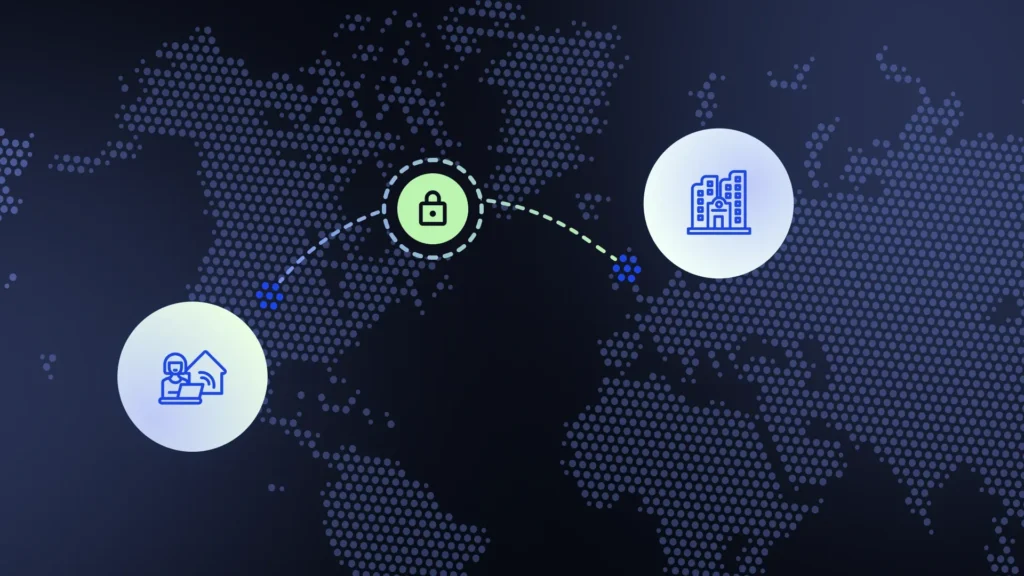
Choosing a VPN isn’t just about picking the one with the coolest logo. Here’s what actually matters.
1. Strong Encryption and Modern Protocols
VPN protocols determine the level of security and the speed at which your data is transferred. Think of them as various tunnels with different architecture, engineering, and materials.
Look for AES‑256 encryption and modern protocols like WireGuard. These offer strong security without sacrificing speed.
2. Global Server Network with Extensive Coverage
A large, global server network ensures reliable connections wherever you work. Extensive coverage means you can access resources worldwide and have a steadier connection because you can find servers near your current location. In other words, a higher number of servers ultimately balances traffic load and improves speed.
3. Automatic Kill Switch
Kill Switch is the emergency break implemented in VPN apps. They stop the traffic flow the moment your VPN connection drops to prevent any data leaks.
4. Multi‑Hop Routing
Multi‑hop routes your traffic through two servers instead of one, adding an extra layer of protection. It’s like wearing two seatbelts. It’s not necessary for everyone, but comforting for some, especially the ones with top government secret files.
5. Connection Speed and Stability
VPN’s reduce internet speed by around 10%, which you won’t even notice if your baseline internet speed is above 40 Mbps. Choose providers with minimal speed loss and optimized servers. You want security, not a return to 2003 internet speeds.
6. Obfuscated (Stealth) Servers
Stealth servers are necessary for remote workers located in regions with restricted internet access and heavy censorship. These disguise VPN traffic to resemble regular HTTPS connections to get around the restrictions.
7. Split Tunneling
Think of split tunneling as having a VIP entrance and a regular front door for your internet data. Instead of forcing every single piece of data to wait in the long security line of your VPN, you get to be the bouncer. You can usher your “important guests” (like sensitive client files or bank logins) through the secure, encrypted tunnel, while letting your “casual friends” (like your Spotify playlist or cat videos) take the high-speed regular highway
8. Device Compatibility and Simultaneous Connections
Whether you’re juggling a laptop, a tablet, a smartphone, and that “spare” workstation you definitely didn’t need, simultaneous connections mean you don’t have to play favorites or buy a dozen different subscriptions. Thanks to user-friendly apps that play nice with everything from Windows and macOS to your niche Linux setup, you can secure your whole tech ecosystem faster than you can find a working power outlet at the airport.
9. No‑Logs Policy and Independent Audits
Every tap or click is recorded in the computer world, and these records are called logs. It’s not a conspiracy theory; it’s to maintain a system or network to keep it going. Even your own laptop is doing it in the background. Some VPN providers, especially the free ones, keep the logs and sell them to marketing agencies for targeted advertising.
A strict, independently audited no‑logs policy ensures your activity isn’t recorded. This is crucial for freelancers handling confidential data.
Given the high costs of third-party audits, some reliable VPNs skimp on it. In that case, you should read their privacy policy to see what kind of info they keep, if any.
10. Additional Privacy and Convenience Features
- DNS leak protection to prevent accidental data exposure.
- Built-in ad/malware blockers to reduce distractions and risks on public networks.
- Easy-to-use mobile and desktop interfaces with quick-connect options for frequent travel.
These features collectively address the core risks of international work: insecure networks, variable connectivity, potential censorship, and the need for reliable access to global resources. When evaluating providers, prioritize those with proven performance in real-world travel scenarios, transparent privacy practices, and responsive customer support. Testing via money-back guarantees can help confirm suitability for your specific workflow before committing long-term.
Why Remote Workers and Freelancers Need a VPN
Freelancers handle sensitive client information, financial data, and proprietary projects every day. A VPN helps protect all of that (and your sanity).
Protecting Sensitive Data on Untrusted Networks
Public Wi‑Fi in cafés, airports, and hotels is convenient, but it’s also a playground for cyber snoops. A VPN tunnel encrypts your traffic so no one can intercept your logins, files, or messages. Think of it as whispering through a secure tube instead of shouting across the room.
Secure Access to Client Portals and Internal Tools
Many clients require access to dashboards, shared drives, or proprietary software. A VPN ensures your connection appears trusted and encrypted, reducing the risk of unauthorized access.
Maintaining Privacy and Bypassing Geo‑Restrictions
Working with international clients often means accessing region‑specific tools. A VPN hides your real location, letting you access what you need. You need that because sometimes the tool you need is “not available in your region.”
On a related note:
Content Not Available in Your Region + 3 Fixes
Supporting Productivity During Travel or Unstable Connections
A reliable VPN stabilizes your connection during video calls, file transfers, and real‑time collaboration. It’s like having a digital seatbelt.
How to Evaluate VPNs for Remote Work Needs
Choosing the right VPN requires some digital self-awareness and inner journey (if your therapist uses these terms, so can we). Once you know what you need a VPN for and how much you’re willing to spend on that, it gets much easier.
Assess Your Workflow and Risk Level
Casual freelancers may prioritize ease of use. Those handling sensitive data or traveling frequently should look for advanced features like dedicated IPs and multi‑hop routing. Overall, the more sensitive your data is, the more protection you need.
Budget and Pricing Models
Monthly plans offer flexibility; annual plans offer savings. Of course, with HidzoVPN, you get a great deal even for the monthly subscriptions ($2.99) with a 1-week free trial. Many providers offer money‑back guarantees, perfect for test‑driving without commitment.
🔴Critical point:
Free VPNs often make money by selling your data, which is the opposite of what you want. It’s like hiring a security guard who also picks pockets as a part-time job. Given that you need the VPN for remote work, you can’t gamble with the security and privacy of your data.
How Do Free VPNs Make Money? The Hidden Price You Pay!
Customer Support and Reliability
24/7 support is invaluable when something breaks five minutes before a deadline. It’s heartwarming to know someone is there to help you maintain a secure workflow.
VPN Reviews and Ratings
Another reliable source of assessment is skimming what other users have said about a provider. VPN reviews, despite the fact that they’re sometimes sponsored, can also help you make a better decision.
Optimal VPN Setup for Remote Work
When you’re using a VPN professionally, you need to make sure that certain features are enabled.
Installation and Setup
Download the app, log in, and choose a nearby server for best performance. Most VPNs automatically choose the nearest server to minimize latency and speed drops. If the connection feels slow, you can do this manually.
Enable Auto‑Connect and Kill Switch
This ensures you’re always protected, even on untrusted networks. You must enable these features on the device that contains your important files.
Use Split Tunneling
Route only work apps through the VPN to save bandwidth and separate personal browsing and streaming from work traffic.
Daily Best Practices
Use multi‑factor authentication, strong passwords, and regular software updates. Test for DNS or IP leaks occasionally.
Common VPN Challenges and How to Fix Them
Virtual Private Networks (VPNs) are generally reliable, but since they sit between your device and the entire internet, things can occasionally get glitchy. Here are five of the most common hiccups and how to snap out of them.
1. The “Infinite Loading” Connection
Problem: The VPN app keeps saying “Connecting” or “Initializing” but never actually establishes a secure link.
- Fix: Switch your VPN Protocol (e.g., move from OpenVPN to WireGuard) in the app settings to bypass local network restrictions.
2. Drastic Speed Drops
Problem: Your internet speed becomes painfully slow, or videos start buffering the moment the VPN is toggled on.
- Fix: Change your Server Location to one that is geographically closer to you or has a lower “load” percentage.
3. Blocked Streaming Services
Problem: Netflix, Hulu, or BBC iPlayer detects your VPN and displays a “Proxy Error” or refuses to play content.
- Fix: Clear your Browser Cache/Cookies or try a specialized “Streaming Optimized” server provided by your VPN service.
4. Frequent Disconnections
Problem: The VPN tunnel drops randomly, leaving your data exposed or triggering your Kill Switch.
- Fix: Disable Battery Optimization for the VPN app in your device settings to prevent the OS from killing the process.
5. No Internet Access When Connected
Problem: The VPN says you are “Protected,” but you can’t load a single webpage or send a message.
- Fix: Flush your DNS Cache (run
ipconfig /flushdnsin the Command Prompt on Windows) to clear out old, conflicting routing data.
Conclusion
Choosing the right VPN for remote work means balancing security, speed, privacy, and usability. By focusing on modern protocols, audited no‑logs policies, and practical tools like kill switches and split tunneling, you can work securely from anywhere, even that café where the Wi‑Fi password is still “password123.”
Test a few providers using their freemium or money‑back guarantees to find your perfect fit. Prioritizing security today protects your clients, your reputation, and your long‑term success in a connected world.
FAQs
Yes. Remote workers frequently connect to public or unsecured Wi-Fi networks in airports, hotels, and cafés, where data interception risks are elevated.
Yes, particularly for those handling client data, intellectual property, or working internationally.
A VPN primarily protects data transmitted over the internet by encrypting traffic, masking the IP address, and creating a secure tunnel. This shields sensitive communications, login credentials, file transfers, and browsing activity from interception on public networks, hackers, and third-party monitoring.
Strong encryption (e.g., TLS 1.2+/IPsec), multi-factor authentication, device and user access controls, split tunneling policies, client integrity checks, and scalable performance.
Split tunneling lets only corporate traffic go through the VPN, improving speed but potentially exposing non-VPN traffic. Full tunneling routes all traffic via VPN for stronger security, but can reduce speed.
Yes, trusted VPNs protect users’ data by encrypting traffic between their devices and the servers, and they reduce the risk of eavesdroppers on public networks.
Article by
-
 Sam Clarke
Sam is a cybersecurity and online privacy writer dedicated to making complex network protection accessible, practical, and engaging.




Share your thoughts
Add a comment